Boost Efficiency with Project Management Automation
The short answer: project management automation is a set of rules that do the repetitive parts of running a project for you: assigning tasks, setting due dates, sending reminders, escalating overdue work, creating recurring tasks, and moving work between tools. Each rule has a trigger (a task changes, a date arrives, a schedule fires, something happens in another app) and an action (update the task, notify someone, create a new task). Good automation removes the "who moves the card" admin without changing how your team actually works. Start with the three rules that pay off on almost every board: route by tag, remind before due, escalate when overdue.
Here is what automation can and cannot take off your plate:
| Admin work | Automatable? | Typical rule |
|---|---|---|
| Assigning new tasks to the right person | Yes | When tag is Bug, assign to the dev lead and set priority High |
| Setting review deadlines | Yes | When status becomes Review, set due date to 3 days after |
| Chasing people before deadlines | Yes | 2 days before due, email the assignee |
| Escalating overdue work | Yes | 3 days past due, set priority High and notify the board owner |
| Creating recurring work (reports, checklists) | Yes | On the 1st of every month, create "Monthly Client Report" |
| Copying requests from email, forms, GitHub | Yes | New GitHub issue or form submission becomes a task |
| Writing status updates | Partly | Reports and standup generators draft it, a human sends it |
| Prioritizing the backlog | No | This is the judgment call the admin work was crowding out |
The rest of this guide is practical. It covers what to automate first, 12 concrete automations you can build today on a t0ggles board, how much admin time a small team can realistically expect to recover, what you should never automate, and a step-by-step setup.
#What Is Project Management Automation?
Project management automation is software that executes workflow rules on your behalf. Instead of a project manager watching the board and reacting ("that bug needs an owner", "this review has been sitting for a week", "it's the 1st, time to open the monthly report task"), the tool watches and reacts according to rules you wrote once.
Every automation has the same anatomy:
- Trigger - the event that starts it. A task was created or changed, a due date is approaching or has passed, a schedule fired, or something happened in an external app (a new GitHub issue, a form submission, an email).
- Condition - an optional filter. Only tasks with the
Bugtag, only tasks in theReviewcolumn, only tasks created via the API. - Action - what happens. Change a task's assignee, priority, status, tags, or dates; send a notification; create a new task.
That is the whole model. Tools differ in how many triggers and actions they offer and how many rules you can run, but a rule is always "when this, if that, do this". If you can describe an admin chore in that sentence shape, it is a candidate for automation.
Automation is different from AI. Automation is deterministic: the same trigger produces the same action every time, which is exactly what you want for routing and deadlines. AI features like AI task creation turn unstructured text into structured tasks and are useful at the input side of the pipeline, but you would not want an AI deciding whether to escalate a client deliverable. Use rules for the predictable work and AI for the messy work, and keep humans on the decisions.
#Why Automate Project Management?
Project admin has a particular cost: it is small per item and constant. Nobody's day is ruined by assigning one bug, but a lead who assigns fifteen bugs, chases eight due dates, and opens the same weekly checklist by hand is spending an hour a day on work that produces nothing new. Worse, that work only happens when the lead is watching. On the day they are in meetings, in transit, or on vacation, the bug sits unassigned and the overdue task sits overdue.
Automation fixes both problems:
- The chore stops costing attention. A rule runs in milliseconds and never forgets. The lead's hour goes back to planning, unblocking, and talking to customers.
- The board behaves consistently. Every bug gets the same triage. Every review gets the same deadline. Every overdue task gets the same nudge on the same day. Consistency is what makes a board trustworthy enough that people stop asking "is this up to date?".
- Handoffs stop depending on memory. When a task reaches
Ready for QAand is auto-assigned to the tester with a due date, the handoff happened whether or not anyone announced it in chat.
For remote and distributed teams the second and third points matter most. A rule that fires at 09:00 in every time zone is a better coordinator than a person who is asleep in one of them.
#Can Automation Reduce Project Admin?
Yes, and you can estimate by how much before you build anything. Count the recurring admin actions on your board for one week: tasks assigned by hand, due dates set by hand, reminders sent by hand, recurring tasks created by hand, items copied in from email or other tools. Multiply each by a realistic time per action (30 to 90 seconds including the context switch), and you have your weekly admin budget.
For a typical five-person product team we see numbers like this:
| Admin action | Per week | Time each | Weekly cost |
|---|---|---|---|
| Assign and prioritize new tasks | 40 | 60 s | 40 min |
| Set review and QA deadlines | 25 | 45 s | 19 min |
| Chase upcoming and overdue deadlines | 15 | 90 s | 23 min |
| Create recurring tasks | 6 | 120 s | 12 min |
| Copy issues and requests in | 20 | 90 s | 30 min |
| Total | ~2 h |
Two hours a week of pure admin, spread across the lead and whoever else is "good at keeping the board tidy". Six rules from the list below remove most of it. That is not a headline number, and it is not meant to be. The point is that the saving is real, the rules take about twenty minutes to set up, and the consistency gain (nothing slips on the days nobody is watching) is worth more than the minutes.
The gains grow with volume. An agency running twelve client projects on one board, or a support team pulling in thirty requests a day, is spending far more than two hours on routing alone.
#12 Project Management Automation Examples
Every example below is a real rule you can configure in Board Settings → Automation on a t0ggles board, or with one of the integrations. They are grouped by trigger type so you can see what each one is good for.
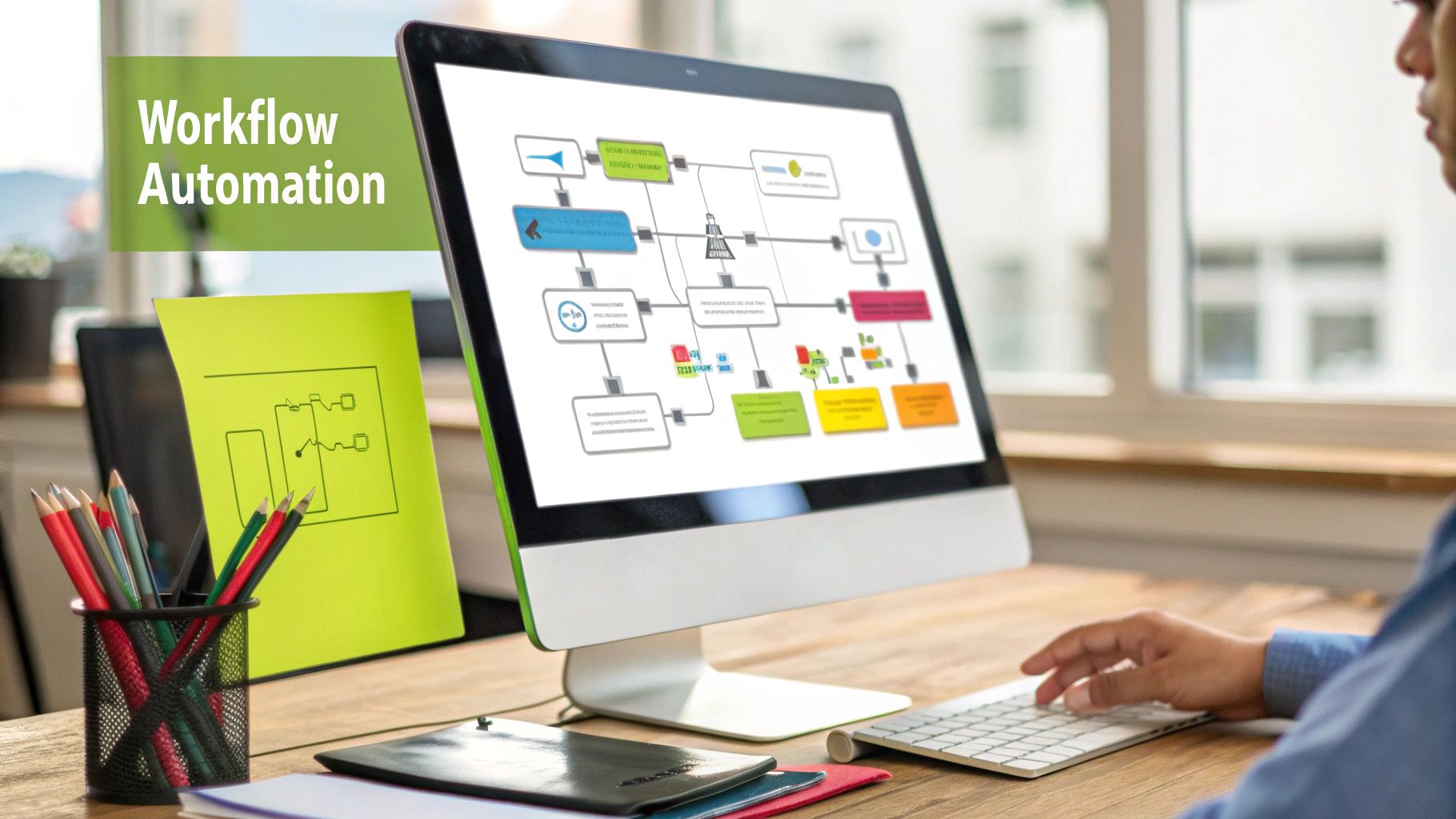
#Task-Based Automations: React to Changes on Tasks
These run when a task is created or one of its properties changes.
1. Route bugs to the right person.
Trigger: Task Created / Updated. Condition: Tags any of Bug. Action: Assigned to your dev lead, Priority High. Every bug is triaged the moment it is tagged, including the ones reported at 2 a.m.
2. Assign a reviewer and set a review deadline.
Trigger: Task Created / Updated. Condition: Status any of Review. Action: Assigned to the reviewer, Due Date 3 days after. Review queues are where work goes to die. This rule gives every review an owner and a date.
3. Escalate anything a client submits.
Trigger: Task Created / Updated. Condition: Created By any of Email (or API, Zapier, GitHub). Action: Add tag Client, Assigned to the account manager. Work that arrives from outside gets routed without anyone watching the inbox.
4. Give subtasks the parent's urgency.
Trigger: Task Created / Updated. Condition: Is Subtask, Priority any of Urgent. Action: Tags add Hotfix. Combine conditions to make rules precise instead of noisy.
#Due Date Automations: Reminders and Escalation
These run relative to a task's due date, from 1 to 30 days before or after.
5. Remind the assignee before the deadline. Trigger: Due Date. Condition: Before Due by 2 days. Action: Send Notification to Assignee. The single most requested automation, and the one that removes the most awkward Slack messages.
6. Notify the board owner when something slips. Trigger: Due Date. Condition: Past Due by 1 day. Action: Send Notification to Board Owner. The owner hears about a miss the next morning, not at the sprint review.
7. Escalate overdue tasks.
Trigger: Due Date. Condition: Past Due by 3 days. Action: Priority High, Tags add Overdue. Overdue work becomes visible on the board itself, and a filter on the Overdue tag becomes your daily triage list.
8. Reassign long-overdue work to a manager.
Trigger: Due Date. Condition: Past Due by 7 days. Action: Assigned to the team lead, Tags add Escalated. A week overdue usually means the assignee is blocked or overloaded. Either way it needs a different pair of hands. See the due date automations release notes for more patterns.
#Schedule Automations: Recurring Work
These run on a calendar and create tasks.
9. Create the monthly client report.
Trigger: Schedule, every month on the 1st at 11:00. Create Task: "Monthly Report" in the client's project, status To-Do, tag Reporting, due 3 days after. The report task exists before anyone remembers it should.
10. Open the weekly standup task. Trigger: Schedule, every week on Monday at 09:00. Create Task: "Standup week of…" assigned to the facilitator. Pair it with the free standup generator for the write-up. For one-off recurring patterns like "the second Tuesday of each month", task templates carry their own start and due date automation.
#Integration Automations: Work That Starts Somewhere Else
These move work into the board from other tools so nobody copies it by hand.
11. Two-way GitHub sync. With GitHub full sync enabled on a project, a new issue or pull request creates a task, closing or merging moves the task to Done, and creating a task opens a matching issue titled with the task key. Developers never leave GitHub, and the board still reflects reality.
12. Turn anything into a task with Zapier, email, or forms. The Zapier integration creates tasks from thousands of apps (a new HubSpot lead, a Slack message, a Typeform response). Every project also has its own email address, so forwarding a client request creates a task. And board forms let outsiders submit work through a form whose answers map straight to project, tags, priority, and due date, with an approval queue in front of the board if you want one. Google Calendar sync does the same for dated work in both directions.
Three of these on a fresh board (1, 5, 7) cover most of the admin for most teams. Add the rest as you see the pattern repeat.
#What Not to Automate
Automation fails when it is applied to decisions rather than chores. A few rules of thumb:
- Do not automate prioritization. A rule can set priority High on every bug. It cannot know that this bug affects one user on a deprecated plan and that one blocks checkout. Route with rules, rank with humans.
- Do not auto-close or auto-move work through the pipeline. "Move to Done after 14 days in Review" hides problems instead of solving them. Escalate instead (example 8), and let a person decide.
- Do not send notifications nobody asked for. One reminder before due and one escalation after is a system. Five reminders is spam, and people learn to ignore the whole channel.
- Do not automate a process you have not standardized. If three people would triage the same bug three different ways, an automation just picks one of them and applies it silently. Agree on the workflow first, then encode it.
- Keep the rule count small. Five rules you understand beat twenty that interact in ways nobody remembers. Name each rule after the outcome ("Bug routing", "Review SLA"), and review them in retrospectives.
The underlying principle: automate the parts of the work that are the same every time, and protect the parts that require judgment. Teams that follow this get faster and calmer. Teams that automate judgment get a board that lies to them politely.
#How to Automate Project Management: A 5-Step Setup

- List your recurring admin actions for one week. Use the table in the section above. Be honest about the copying-in category: it is usually bigger than people think.
- Standardize the workflow the rules will encode. Agree on statuses and what each means, which tags exist and who owns them, and what "overdue" should trigger. Our guide to WIP limits covers the status design side.
- Build three rules. Route by tag (example 1), remind before due (example 5), escalate when overdue (example 7). In t0ggles: open the board, click Board Settings, go to Automation, click + Add Automation, pick the trigger, add the condition and action. Changes save automatically.
- Connect the inputs. Turn on GitHub sync for engineering projects, add a board form for external requests, and set up a Zap for whichever tool generates the most copy-paste. Every task that arrives correctly routed is one you never had to touch.
- Review after two weeks. Check the
OverdueandEscalatedtags, look at cycle time in board reports, and ask the team which notifications helped and which were noise. Tune, do not add.
Twenty minutes for steps 3 and 4 is realistic on a board that already has statuses and tags set up.
#Choosing Project Management Automation Tools
Most project management tools now offer some automation. The differences that actually matter when you evaluate them:
- Trigger coverage. Task changes are table stakes. Date-based triggers (before due, past due) and schedule triggers (recurring tasks) are what remove the chasing and the recurring busywork, and not every tool has them.
- Rule limits. Several tools cap automation runs per month by plan tier, which turns your busiest board into your most expensive one. Check the number before you rely on it.
- Scope. Rules that apply per project as well as per board let one board host different workflows for different clients or teams without the rules colliding.
- Inbound integrations. Automation inside the board only helps with work that is already on the board. GitHub, email, forms, and a Zapier connection decide how much work arrives pre-sorted.
- Simplicity. A rule your whole team can read in the settings panel is worth more than a visual workflow builder only one person understands.
t0ggles keeps automations deliberately simple: three trigger types, per-board or per-project scope, unlimited rules, and the integrations above. The free plan includes 1 board, 3 team members, 5 projects, and 100 tasks, which is enough to design your workflow. Board automations, GitHub full sync, and Zapier are paid plan features at $5 per user/month (billed annually), with everything unlimited and no tiers. Every first subscription starts with a 14-day free trial.
#Frequently Asked Questions
#Who Is This For?
See how automation works for your team:
- t0ggles for Startups - Automate workflows as you scale
- t0ggles for Agencies - Route client requests and recurring reports across clients
- t0ggles for Product Managers - Automated review deadlines and escalation
- t0ggles for Developers - GitHub sync and bug routing
- t0ggles for Remote Teams - Handoffs that do not depend on time zones
#Additional Resources
- Introducing Board Automations
- Board Automation Docs
- Due Date Automations Release Notes
- Zapier Integration for t0ggles
- Mastering WIP Limits
- Agile Project Management Guide
- Effective Project Management Strategies
Don't Miss What's Next
Get updates, design tips, and sneak peeks at upcoming features delivered straight to your inbox.