The Best Free Project Management Software in 2026: 10 Tools and Their Real Limits
The short answer: every free project management plan caps one of three things - seats, work (tasks, issues, boards), or features (Gantt, automations, reports). Which cap you can live with decides the tool. Trello and Asana are the most generous on task volume but cap seats or views. ClickUp, Wrike, and Linear take unlimited users but cap storage, active tasks, or total issues. Jira is the roomiest free plan for a software team of ten or fewer. t0ggles gives a team of 3 every view, dependencies, and milestones on one board of 100 tasks. Below is the full comparison, verified against each vendor's pricing page in September 2026, followed by a decision guide and seven free tools that need no account at all.
#Free Project Management Software Compared
| Tool | Free seats | Free work limit | Views on free | Biggest catch | First paid tier |
|---|---|---|---|---|---|
| t0ggles | 3 members | 1 board, 100 tasks | Columns, List, Calendar, Gantt | One board | $5/user/mo, everything unlimited |
| Trello | 10 per Workspace | 10 boards, unlimited cards | Board (Calendar and Timeline are Premium) | 250 automation runs/mo, 10 MB per file | Standard $5/user/mo |
| Asana | 2 | Unlimited tasks and projects | List, Board, Calendar | No Timeline, no rules, 2 users | Starter $10.99/user/mo |
| ClickUp | Unlimited | Unlimited tasks, 60 MB storage | Unlimited views, Gantt on trial | 60 MB total storage, 100 automation runs | Unlimited $7/user/mo |
| Jira | 10 | No issue cap listed, 2 GB | Board, backlog, timeline | 100 automation runs/mo, community support only | Standard about $7.50/user/mo |
| Linear | Unlimited | 250 issues total, 2 teams | List, Board | 250-issue cap is lifetime, not active | Basic $10/user/mo |
| Wrike | Unlimited | 200 active tasks, 2 GB | Board, Table | Gantt needs Team | Team $10/user/mo, 2-15 seats |
| Notion | Unlimited (solo) | Block-limited once 2+ members | Table, Board, Calendar, Timeline | Block cap for teams, 5 MB uploads, 7-day history | Plus $10/member/mo |
| Todoist | 5 per project | 5 active projects | List, Board | 3 filters, 5 MB uploads, 1-week history | Pro $5/mo billed yearly |
| GitHub Projects | Unlimited | 1,200 active items per project | Table, Board, Roadmap | Tied to repositories, no time tracking | Team $4/user/mo |
Prices are per user per month on annual billing, from each vendor's pricing page. Monday.com and Basecamp are covered separately below, because their free plans are closer to trials than to plans.
#How We Judged Free Plans
Position matters in a listicle, and most "best free project management software" lists rank by affiliate payout or brand size. Ours ranks by a simpler question: how far can a real team get before the plan forces a decision? For each tool we checked the pricing page for four things:
- Seat cap. Whether the team can even fit. A two-seat plan is a personal plan.
- Work cap. Whether the limit is on active items (recoverable by finishing work) or on total items ever created (a countdown).
- Feature gates. Whether Gantt, dependencies, automations, and reports exist on free or are reserved for paid tiers.
- Upgrade cliff. What the first paid tier costs and whether it unlocks everything or just the next gate.
We include t0ggles, which we make, and we hold it to the same standard: its free plan is one board, and we say so.
#1. t0ggles: Every Feature for a Small Team
The t0ggles free plan is built for a team of 3 running one real project. It includes 1 board, 3 team members, 5 projects, 100 tasks, 50 notes, 100 MB of file storage, and 25 AI actions a month.
What is unusual about it: the free plan does not gate views or planning features. Columns (Kanban), List, Calendar, and Gantt are all on, and so are task dependencies with lag days, milestones, report viewing, public board sharing, intake forms (1 form per board with 50 submissions a month), and the GitHub and Figma integrations. Several projects share the one board, so a founder can run product, marketing, and support side by side without three boards.
The catch: one board and 100 tasks. Free boards have no archive, so deleting is permanent, and public boards show a "Made with t0ggles" badge. Automations, Zapier, Google Calendar sync, guest users, custom domains, report export, and the API are paid.
Upgrade: a single plan at $5/user/month (billed annually) with everything unlimited - no feature tiers.
Best for: small teams and startups that want Gantt, dependencies, and milestones without paying, and are fine living on one board. If you need many separate boards for free, Trello is the better fit.
#2. Trello: The Most Boards for Free
Trello's free plan allows up to 10 boards per Workspace, up to 10 collaborators per Workspace, unlimited cards, unlimited Power-Ups per board, and unlimited storage at 10 MB per file. Butler automation runs 250 Workspace commands a month.
What is unusual about it: unlimited cards on a board that costs nothing per board until the tenth. Nothing on the free plan ever asks you to delete or finish work to keep going, which makes Trello the safest choice for a long-lived personal or club board.
The catch: Trello is a Kanban board and only a Kanban board on free. Calendar, Timeline, Table, and Dashboard views are Premium features, there are no dependencies or milestones, and the 250 automation runs go fast on an active board. The 10-collaborator Workspace cap also arrives sooner than teams expect.
Upgrade: Standard at $5/user/month adds unlimited boards and more automation; the views need Premium.
Best for: anyone who needs a simple board and lots of them. See our Trello alternative page if you outgrow the single view.
#3. Asana: Unlimited Tasks for Two People
Asana's Personal plan includes unlimited tasks and projects, List, Board, and Calendar views, unlimited storage at 100 MB per file, and over 100 integrations - for up to 2 users.
What is unusual about it: no work cap at all. For a solo operator or a two-person team, Asana free is a complete task manager with no countdown.
The catch: 2 users. The plan has no Timeline (Gantt) view, no rules or automations, no forms, and no reporting dashboards. The moment a third person joins, or you need a timeline, you are on Starter.
Upgrade: Starter at $10.99/user/month, the most expensive first step on this list.
Best for: individuals and pairs who want Asana's structure without paying. Larger teams should read our Asana alternative comparison before committing.
#4. ClickUp: Unlimited Members, Tiny Storage
ClickUp Free Forever includes unlimited members, unlimited tasks, unlimited custom views, 5 Spaces, 1 form, 3 whiteboards, and 5 active automation rules with 100 executions - with 60 MB of total storage.
What is unusual about it: unlimited members and unlimited tasks on the same free plan. Nobody else on this list gives both away.
The catch: 60 MB of storage for the whole workspace, which a handful of screenshots consumes. Gantt and Timeline views, custom fields, and most integrations are on limited-use trials rather than fully included, so the plan feels complete until a counter runs out. ClickUp is also the most complex product here, and the free plan does not remove the learning curve.
Upgrade: Unlimited at $7/user/month removes storage, form, and integration limits.
Best for: larger teams that need everyone in one tool for free and store files elsewhere. Our ClickUp alternative page covers where the complexity bites.
#5. Jira: The Best Free Plan for a Software Team of Ten
Jira Free supports up to 10 users, Scrum and Kanban boards, backlog, a basic timeline, 2 GB of storage, and 100 automation rule runs a month across the site.
What is unusual about it: it is the full Jira, not a demo. Sprints, backlog grooming, story points, and the timeline all work on free, which no other tool gives a ten-person engineering team at no cost.
The catch: 10 users is a hard wall, support is community-only, 100 automation runs a month disappears in days on an active project, and it is still Jira - Scrum-first, heavy to configure, and slow for anyone who just wants a board.
Upgrade: Standard at about $7.50/user/month; Premium adds unlimited automation and advanced roadmaps.
Best for: software teams under ten who want sprints and a backlog. For a lighter tool with the same core, compare it on our Jira alternative page or Trello vs Jira.
#6. Linear: Beautiful, Fast, and 250 Issues
Linear Free includes unlimited members, 2 teams, 250 issues, 10 MB file uploads, and access to the agent platform.
What is unusual about it: the product. Linear is the fastest issue tracker on this list, keyboard-first, and the free plan has no seat cap.
The catch: 250 issues is a total, not an active count. Closed issues still count, so the free plan is a countdown that a busy team finishes in a month or two. There is no Gantt, no task-level dependencies, and no public boards.
Upgrade: Basic at $10/user/month for unlimited issues; Business at $16/user/month for guests and advanced features.
Best for: engineering teams trying Linear before buying it. Treat the free plan as an evaluation, not a home. Our Linear alternative page lists what to expect after issue 250.
#7. Wrike: Unlimited Users, 200 Active Tasks
Wrike's free plan, updated in January 2026, allows unlimited users, 200 active tasks and subtasks, 2 GB of storage, Board and Table views, and cloud storage integrations.
What is unusual about it: the task cap is on active work, so finishing tasks frees capacity. Combined with unlimited users, it suits a large team with a modest workload - a volunteer group or a department that tracks a few dozen open items.
The catch: Gantt charts, dashboards, and AI features start on the Team plan, and Wrike's interface is enterprise-grade in both senses. The 200-active-task limit is real: hit it and nobody can create a task until someone closes one.
Upgrade: Team at $10/user/month for 2 to 15 users.
Best for: big teams with small backlogs. Compare it on Wrike vs Asana or our Wrike alternative page.
#8. Notion: A Free Workspace That Becomes a Board
Notion Free gives an individual unlimited blocks, databases with Table, Board, Calendar, and Timeline views, up to 10 guests, 5 MB file uploads, and 7 days of page history.
What is unusual about it: it is a wiki, a doc editor, and a database in one, and for a solo user the free plan is effectively unlimited.
The catch: invite a second member and the workspace becomes a block-limited trial. File uploads cap at 5 MB, page history at 7 days, and Notion never enforces flow - there are no WIP limits, no burndown, no notion of a sprint unless you build it. Teams that run projects in Notion usually end up maintaining the system more than the work.
Upgrade: Plus at $10/member/month.
Best for: solo founders and writers who want notes and tasks in one place. For team project management, see Notion vs ClickUp or our Notion alternative page.
#9. Todoist: The Best Free Personal Task Manager
Todoist Beginner includes 5 active personal projects, 5 collaborators per project, 3 filter views, 5 MB uploads, task reminders, and one week of activity history, with list and board layouts.
What is unusual about it: speed and natural-language entry. "Send invoice every Friday at 4pm" becomes a recurring task as you type, on every platform.
The catch: 5 active projects and 3 filters are tight, and Todoist is a personal task manager first. There is no unified team board, no dependencies, no Gantt, and team features sit on the Business plan.
Upgrade: Pro at $5/month billed yearly.
Best for: individuals tracking personal work, and small groups sharing a list or two. Our Todoist alternative page covers the jump to team project management.
#10. GitHub Projects: Free With Every Repository
GitHub Projects is included in GitHub Free for unlimited public and private repositories with unlimited collaborators. Each project offers Table, Board, and Roadmap views, custom fields, and up to 1,200 active items.
What is unusual about it: zero seat cost and zero context switching for developers. Issues and pull requests are the tasks, so nothing needs syncing.
The catch: it is a repository feature first. Non-technical teammates need GitHub accounts and repo access, there is no time tracking or reporting, dependencies are text links, and the 1,200-item cap forces periodic archiving on active projects.
Upgrade: Team at $4/user/month, though Projects itself does not change much.
Best for: open-source projects and engineering teams whose work is entirely in issues. For a planning layer on top of GitHub, t0ggles syncs issues and pull requests two ways - see our GitHub Projects alternative page.
#Two Free Plans That Are Really Trials
Monday.com Free allows up to 2 seats and 3 boards with 8 column types. Two seats and three boards is enough to see the interface, not to run a team, and the Basic plan starts at $9/seat/month billed annually with a 3-seat minimum. It is a good product; the free tier is a demo. See Asana vs Monday if you are deciding between the two.
Basecamp Free covers 1 project, 1 GB of storage, and up to 5 users. Basecamp's philosophy of a single project space with to-dos, message board, and schedule works well, but you cannot start a second project without deleting the first. Paid plans begin at $25/month for 3 active projects, and go flat-rate for unlimited users from $59/month. Our Basecamp alternative page has the full picture.
#How to Choose Free Project Management Software
Work through the caps in this order:
- Count seats first. Two people: Asana or Notion. Up to 3: t0ggles. Up to 10: Trello or Jira. More than 10: ClickUp, Wrike, Linear, or GitHub Projects.
- Ask whether the work cap is active or lifetime. Wrike (200 active) and t0ggles (100 active) recover capacity when you finish work. Linear (250 total issues) does not. Trello, Asana, ClickUp, and Jira have no task cap on free.
- List the features you need this month, not someday. Gantt or dependencies on free narrows the field to t0ggles, Jira (timeline), and Notion (timeline view). Automations on free are meaningful only on Trello (250 runs) and Jira (100 runs); everyone else gates them.
- Check the upgrade cliff. If the team will grow, the first paid tier matters more than the free plan. t0ggles ($5, everything), Trello Standard ($5), and GitHub Team ($4) are the gentle steps. Asana Starter ($10.99) and Linear Basic ($10) are the steep ones.
For a small team building a product, the honest recommendation is t0ggles if one board is enough, Jira if you are a software team of ten who wants sprints, and Trello if you need many simple boards. For a solo user, Todoist for tasks and Notion for everything else.
#Free Project Management Tools That Need No Account
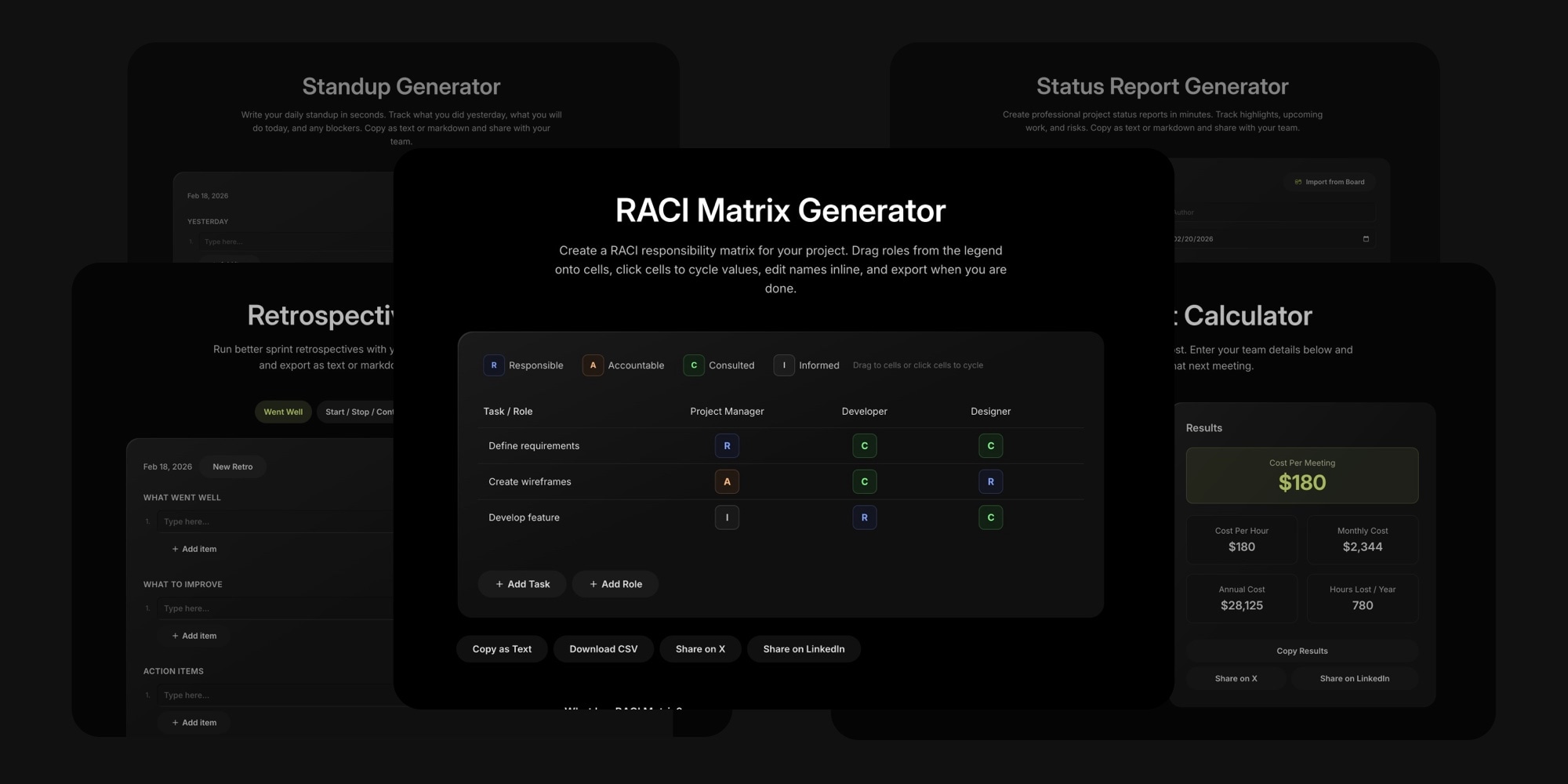
Free plans manage tasks. They rarely help with the rituals around the tasks - standups, retros, status reports, role clarity. We built seven free tools for exactly that. They run in the browser, need no signup, and pull real data from a t0ggles board if you have one.
- Meeting Cost Calculator - Puts a dollar figure on a recurring meeting from attendees, salary, and duration. A weekly one-hour meeting with 8 people on $80,000 salaries costs over $16,000 a year.
- Standup Generator - Yesterday, Today, and Blockers, with a "New Day" button that rolls today into yesterday. Export as text or Markdown for Slack. t0ggles users can import completed, in-progress, and blocked tasks directly.
- Retrospective Generator - Four formats: What Went Well, Start/Stop/Continue, Mad/Sad/Glad, and 4Ls. Items carry over when you switch formats.
- RACI Matrix Generator - Roles as columns, tasks as rows, drag RACI labels onto cells. Export as CSV.
- Status Report Generator - Project details, an On Track / At Risk / Off Track status, and Highlights, Up Next, and Risks sections. Imports the last 7 days of board activity.
- User Story Generator - As a / I want to / so that, with Given / When / Then acceptance criteria, a quality check, and Gherkin export.
- Sprint Name Generator - Eight themes, three styles, and A to Z series so sprint order is obvious from the name.
There is also a free daily standup template you can copy as a board.
#Frequently Asked Questions
#Who Is This For?
- t0ggles for Startups - Free plan sized for a founding team
- t0ggles for Small Teams - One board for the whole team
- t0ggles for Freelancers - Client work on a free plan
- t0ggles for Students - Free planning for coursework and group projects
- t0ggles for Nonprofits - Volunteer coordination on a budget
- t0ggles for Side Projects - Track a project before it becomes a company
#Additional Resources
- Top 7 Project Management Methodologies for Startups
- Project Planning Software for Small Businesses
- Kanban vs Scrum: Which Agile Methodology Is Right for Your Team?
- All Project Management Tool Comparisons
- All Alternatives Pages
- Free Tools
- Pricing
Don't Miss What's Next
Get updates, design tips, and sneak peeks at upcoming features delivered straight to your inbox.