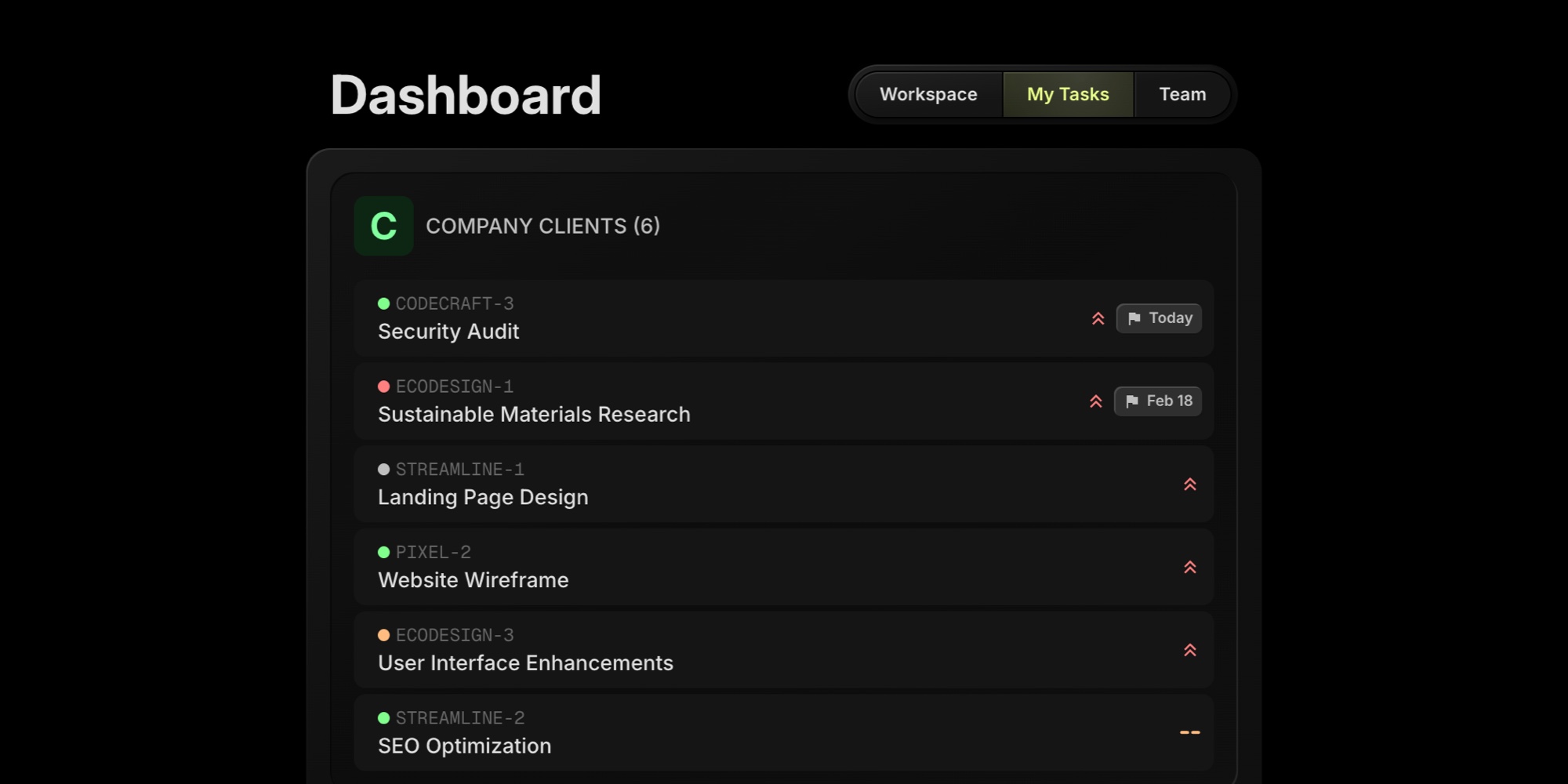
The dashboard just got a new tab. My Tasks shows every active task assigned to you across all your boards - grouped by board, sorted by what matters most.
#How It Works
Open your dashboard and select the My Tasks tab. You'll see a unified list of all tasks assigned to you, organized by board.
Within each board group, tasks are sorted by:
- Priority - high priority tasks appear first, then medium, low, and no priority
- Due date - nearest due dates come first, tasks without a due date appear last
- Overdue highlighting - past-due tasks are marked in red so nothing slips through
Each task displays its key, title, status color, and due date. Click any task to jump straight to it on its board.
#Why This Matters
If you're working across multiple boards - whether you're managing client projects at an agency, contributing to different team initiatives, or juggling product and operations work - keeping track of your personal workload used to mean opening each board one by one.
My Tasks eliminates that overhead. One glance tells you exactly what's on your plate and what needs attention first.
#My Tasks vs Workspace Focus
The Workspace tab's Focus section highlights urgent items - overdue tasks and things due within the next 7 days. It's great for "what do I need to do right now?"
My Tasks is for the complete picture. Every active task assigned to you, across every board, in one place.
Use Focus for daily priorities. Use My Tasks when you want to see your full workload.
#Getting Started
Head to your dashboard and click the My Tasks tab. No setup needed - it automatically pulls in tasks from every board you have access to.