- Dashboard
- Workspace
- Projects
- Board Settings
- Project Settings
- Tasks
- Create Task
- Edit Task
- Change Status
- Order Tasks
- Subtasks
- Task Dependencies
- Milestones
- Pin To Top
- Task Templates
- Duplicate Task
- Move To Board
- Create Note From Task
- Archive Task
- Unarchive Task
- Delete Task
- Task Updates History
- Reminders
- Time Tracking
- AI Tasks
- Export Task
- Share Task
- Import Multiple Tasks
- Export Multiple Tasks
- Notes
- Forms
- Comments
- Text Editor
- Account
- MCP Server
- t0ggles Crew
My Tasks
The My Tasks tab gives you a single view of every active task assigned to you across all your boards. No more switching between boards to figure out what's on your plate.
To access it, go to https://t0ggles.com/dashboard and select the My Tasks tab.
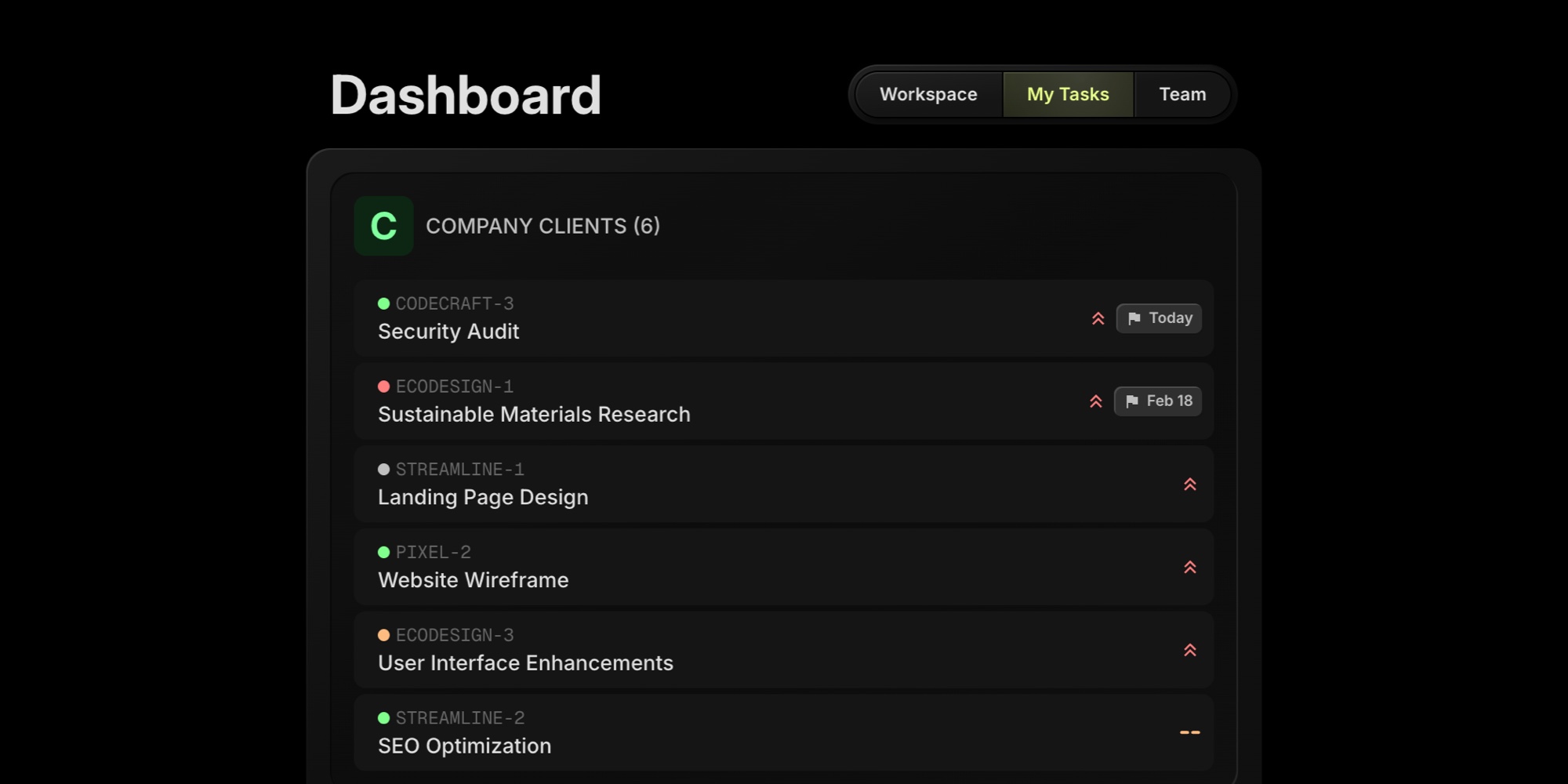
#How It Works
My Tasks pulls in all active tasks assigned to you from every board you have access to. Tasks are grouped by board and sorted within each group by:
- Priority - high priority tasks appear first, followed by medium, low, and no priority
- Due date - tasks with the nearest due date come first, tasks without a due date appear last
Each task shows its key, title, status color, and due date. Overdue tasks are highlighted in red so they stand out. Click any task to navigate directly to it on its board.
#When To Use It
My Tasks is useful when you work across multiple boards and want a quick answer to "what do I need to work on?" Instead of opening each board one by one, this tab shows your full workload in one place.
For tasks that need immediate attention - overdue items and things due this week - the Workspace tab's Focus section is a better fit. My Tasks is for the complete picture.