- Dashboard
- Workspace
- Projects
- Board Settings
- Project Settings
- Tasks
- Create Task
- Edit Task
- Change Status
- Order Tasks
- Subtasks
- Task Dependencies
- Milestones
- Pin To Top
- Task Templates
- Duplicate Task
- Move To Board
- Create Note From Task
- Archive Task
- Unarchive Task
- Delete Task
- Task Updates History
- Reminders
- Time Tracking
- AI Tasks
- Export Task
- Share Task
- Import Multiple Tasks
- Export Multiple Tasks
- Notes
- Forms
- Comments
- Text Editor
- Account
- MCP Server
- t0ggles Crew
Field Mapping
Field mapping is what turns a form from a mailbox into a triage machine. Instead of reading every submission and setting task fields by hand, you map form fields to task fields once - and every submission arrives as a task that is already routed.
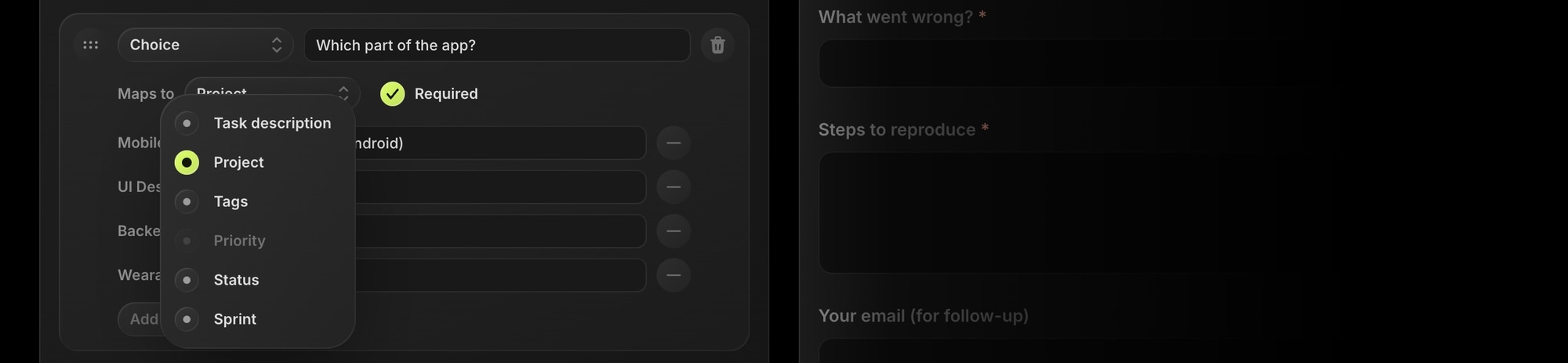
#Mapping Targets
Use the Maps to dropdown on a field to pick a target:
- Task title - a Short Text field becomes the task title. Without a title mapping, the title is built automatically from the form name and the first text answer.
- Project - a Choice field routes the submission to a project on the board.
- Tags - a Choice field applies board tags. Tags are additive - you can have several tag-mapped fields.
- Priority - a Choice field sets the task priority.
- Status - a Choice field sets the task status.
- Due date / Start date - a Date field sets the task dates.
- Custom properties - any board property whose type matches the field kind (text, email, number, URL, date, checkbox, select) appears as a target too. Hidden fields map to text properties.
The Maps to dropdown only offers targets that make sense for the field type, and each single-valued target (project, priority, status, title, a date, a property) can be mapped by at most one field.
#Entity-Backed Options
When a Choice field is mapped, its options aren't free text - you pick which board entities (projects, tags, statuses, priorities, select options) to expose:
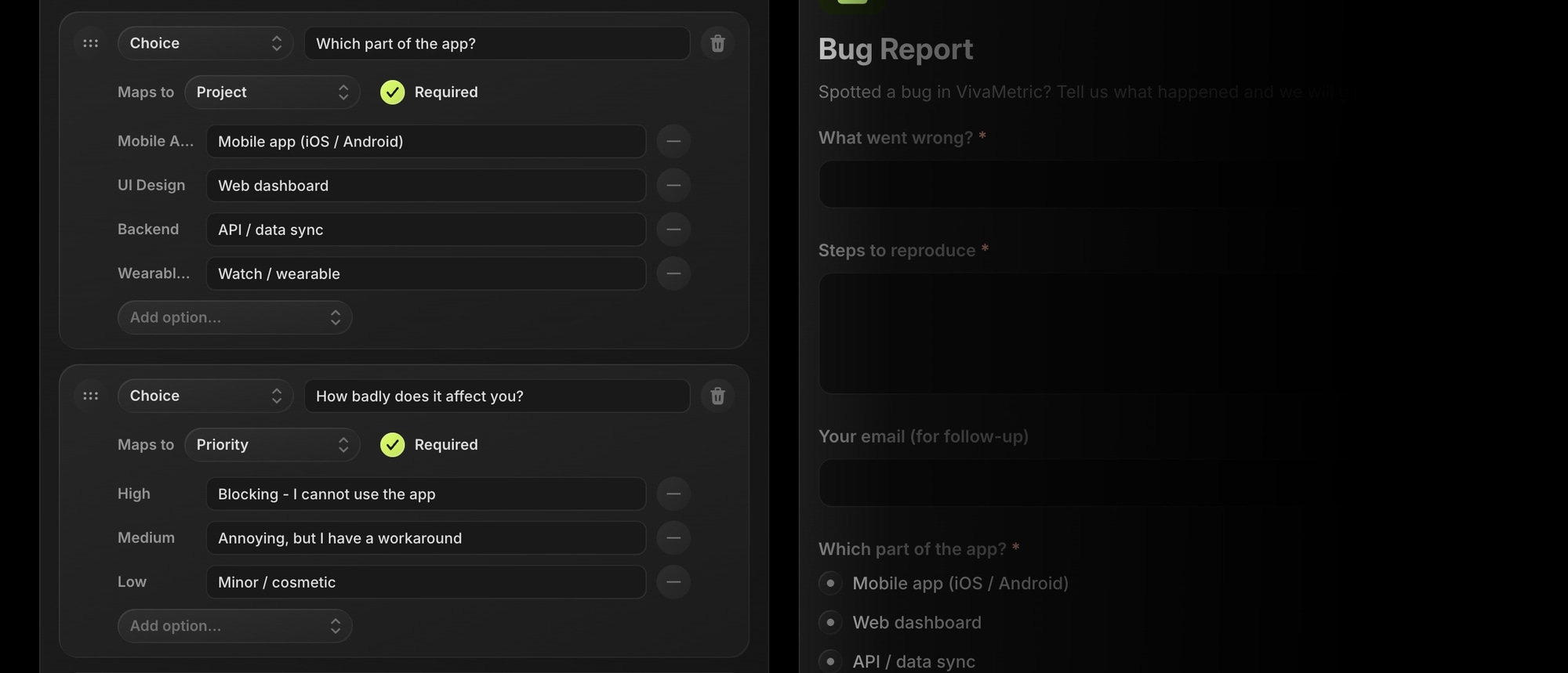
- Each option can have a public label - submitters see "Something is broken", the task gets your "bug" tag.
- Because options point at real board entities, there is nothing to keep in sync: rename a tag and the mapping still works; delete a project and its option simply disappears from the form.
#Fallbacks - Submissions Never Fail
Every form has a fallback Project and Status in its settings. If a mapped field is left unanswered, or an option points at an entity that has since been deleted, the submission quietly falls back to those defaults. A stale mapping never blocks a submission.