- Dashboard
- Workspace
- Projects
- Board Settings
- Project Settings
- Tasks
- Create Task
- Edit Task
- Change Status
- Order Tasks
- Subtasks
- Task Dependencies
- Milestones
- Pin To Top
- Task Templates
- Duplicate Task
- Move To Board
- Create Note From Task
- Archive Task
- Unarchive Task
- Delete Task
- Task Updates History
- Reminders
- Time Tracking
- AI Tasks
- Export Task
- Share Task
- Import Multiple Tasks
- Export Multiple Tasks
- Notes
- Forms
- Comments
- Text Editor
- Account
- MCP Server
- t0ggles Crew
Access Modes
The Who can submit setting controls how open a form is. Submitters never need a t0ggles account unless you choose Members - forms are built for collecting from the outside.
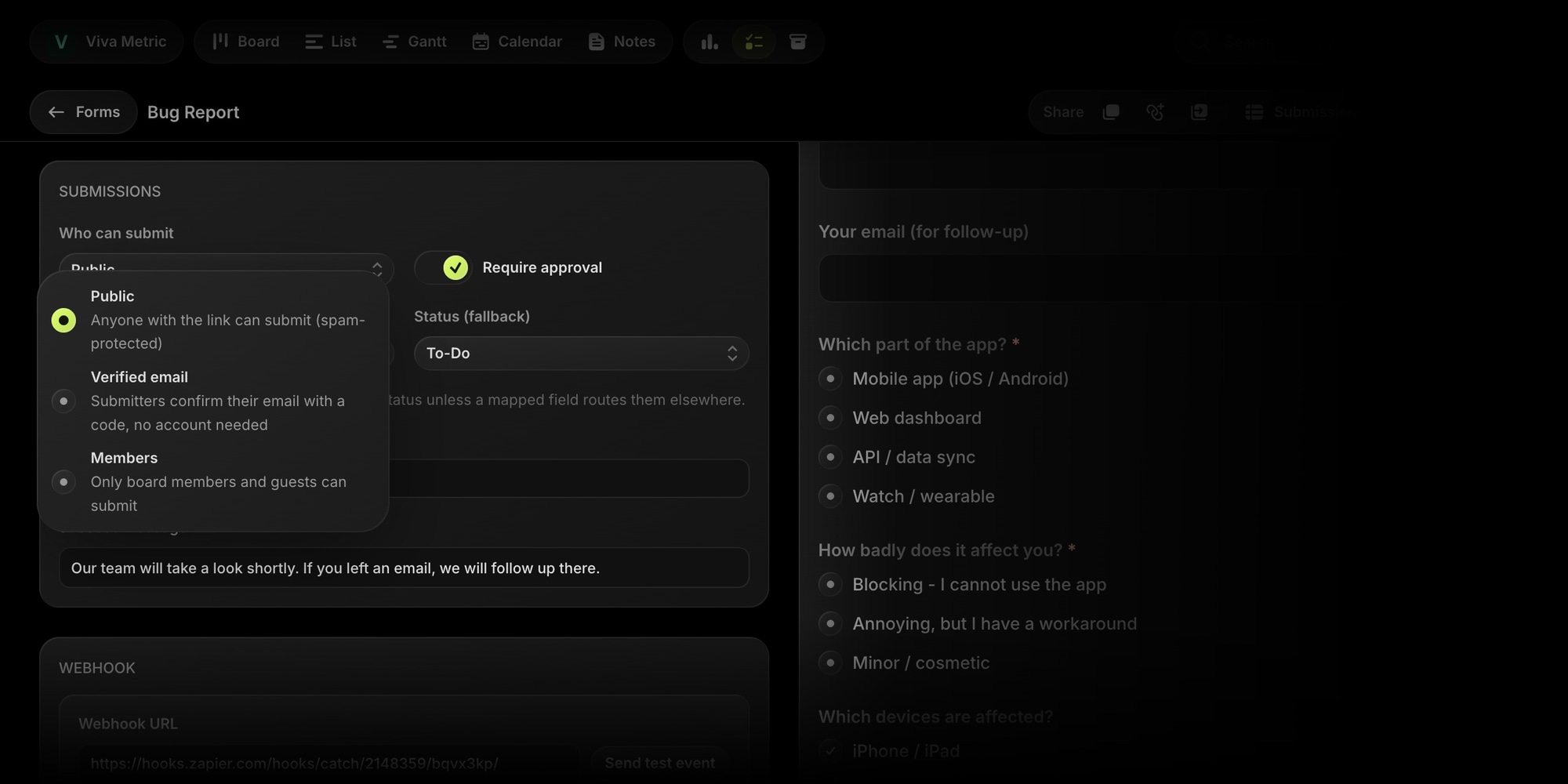
#Public
Anyone with the link can submit, anonymously. Public submissions are protected by a Cloudflare Turnstile check - an invisible bot challenge that keeps automated spam out without making humans click traffic lights. For public forms, approval mode is enabled by default, so nothing lands on your board without review.
#Verified Email
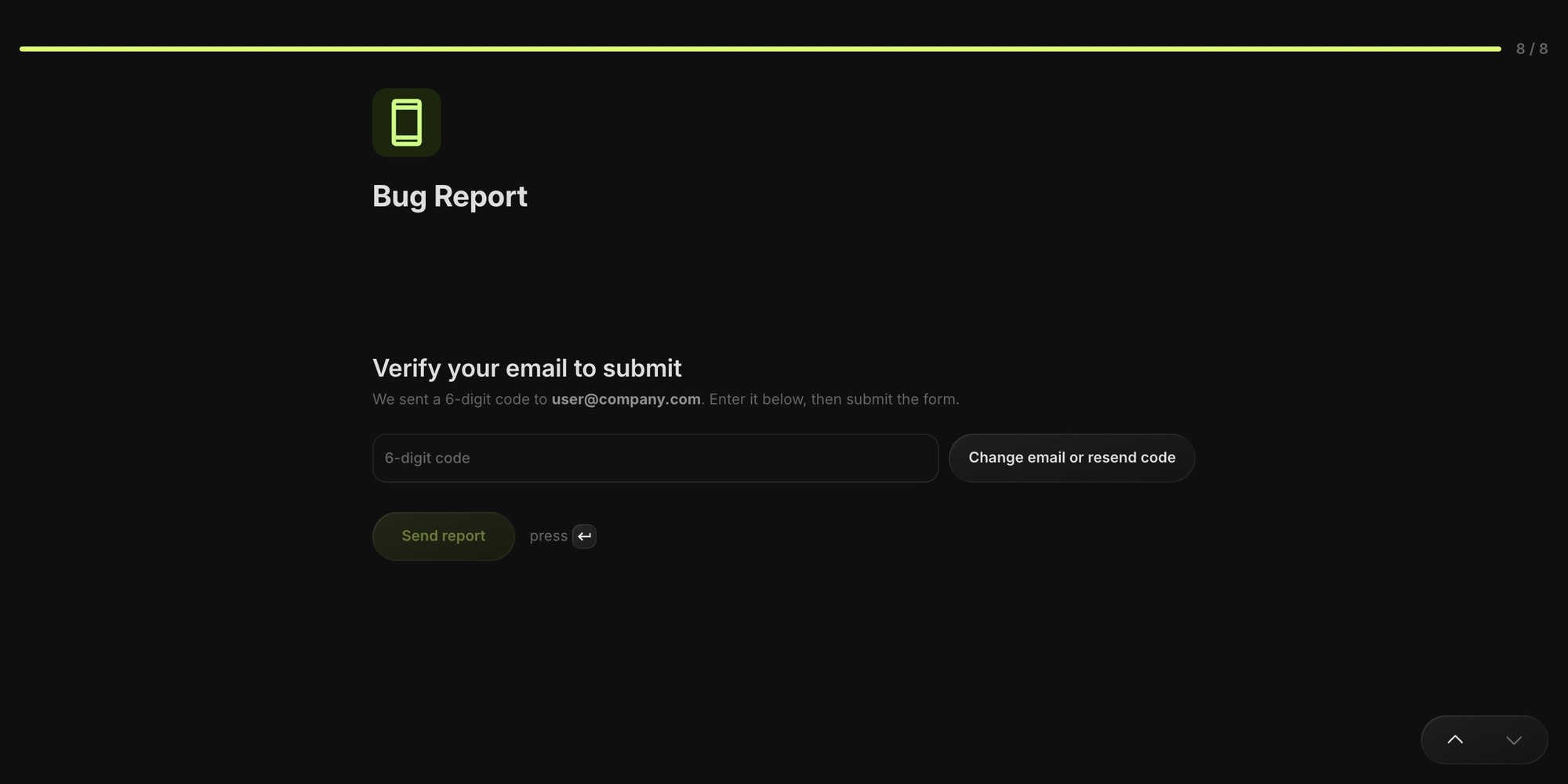
Anyone can submit, but they must confirm their email address first: the form sends a 6-digit code to the address they enter, and the code has to be entered back within 10 minutes. You get a real, verified reply-to address on every submission - the right mode for client requests and support intake.
#Members
Only signed-in board members and guests can submit. The submission is linked to their t0ggles account, so the submitter shows up with their name and avatar in the submissions table. Members forms also unlock bigger file uploads - up to 100 MB per file, more files, any file type.