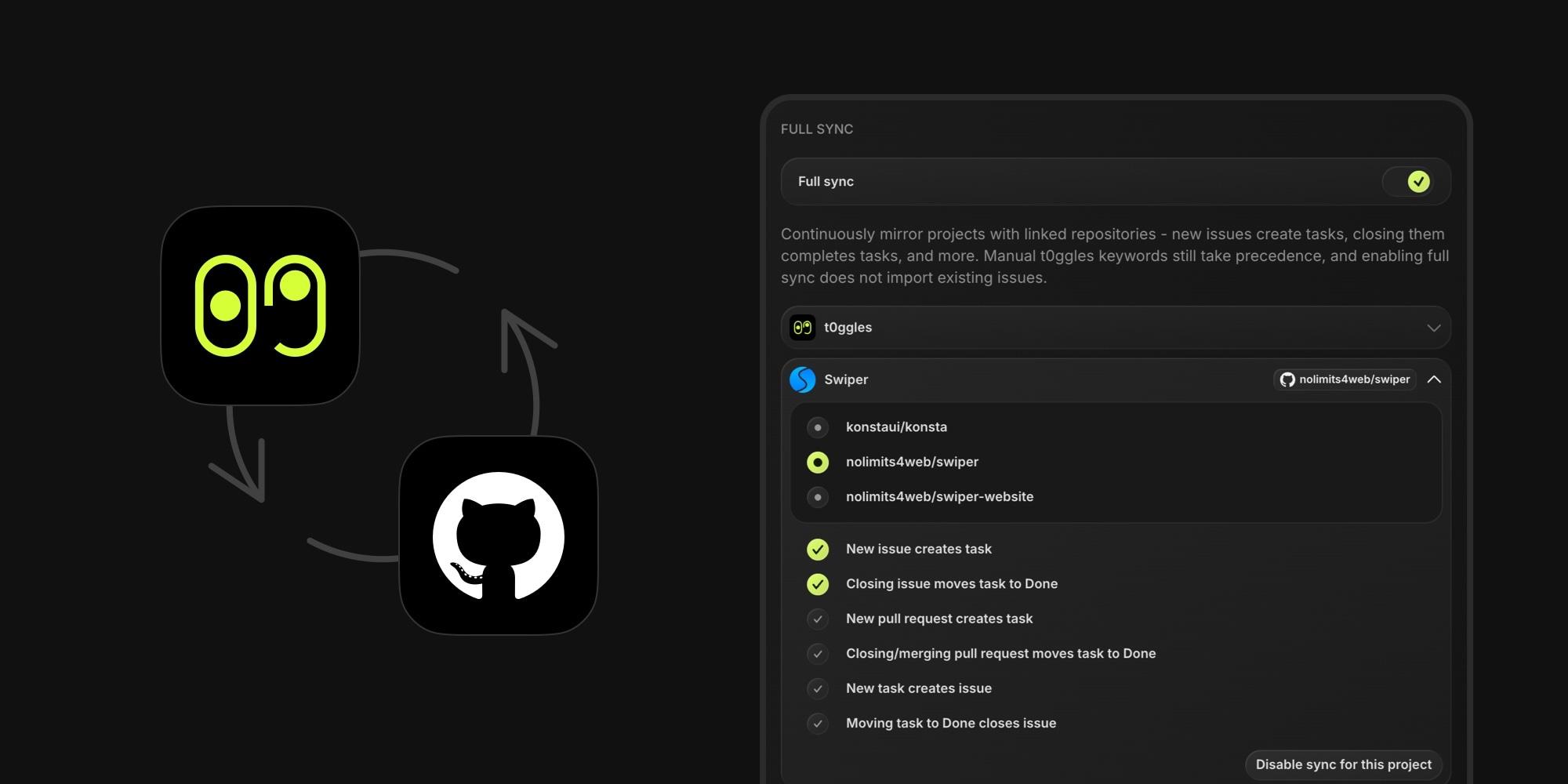
Your GitHub repository and your t0ggles board can now stay in sync on their own. Link a project to a repository once, and issues, pull requests, and tasks mirror each other - no per-issue keywords or commands needed.
#How It Works
Bind a project to one of the board's linked repositories and choose the sync rules:
- New issue creates task - anyone's issue lands in your project as a task, not just collaborators' (on by default)
- Closing issue moves task to Done - on by default
- New pull request creates task - track incoming PRs as work items
- Closing/merging pull request moves task to Done - a PR closed without merging completes the task too
- New task creates issue - the issue is titled with the task key (e.g.
CLIENTS-131: Task title) and links back to the task - Moving task to Done closes issue - completing work in t0ggles closes the loop on GitHub
Each project binds to one repository (and each repository to one project), so a board with several projects can mirror several repos side by side.
The manual commands you already use - t0ggles-create, t0ggles-link, task keys in titles and branch names - keep working and always take precedence. And enabling Full Sync never imports a repository's existing issues, so your board stays clean: only new activity is synced.
#Why This Matters
For open source maintainers, this turns GitHub into your intake and t0ggles into your planning board: community bug reports become tasks automatically, and shipping a fix closes both sides without anyone touching the board. For product teams it works the other way around - plan in t0ggles, and every new task opens a ready-to-pick-up issue for the engineers. Either way, task management and code stay aligned without the copy-paste ceremony.
#Getting Started
- Go to Board Settings → Services → GitHub Integration and connect your repositories
- Enable the Full sync switch
- Expand a project, pick the repository it should mirror, and choose the sync rules
Full Sync is available on the paid plan. Settings save immediately, and sync starts with the next GitHub event.