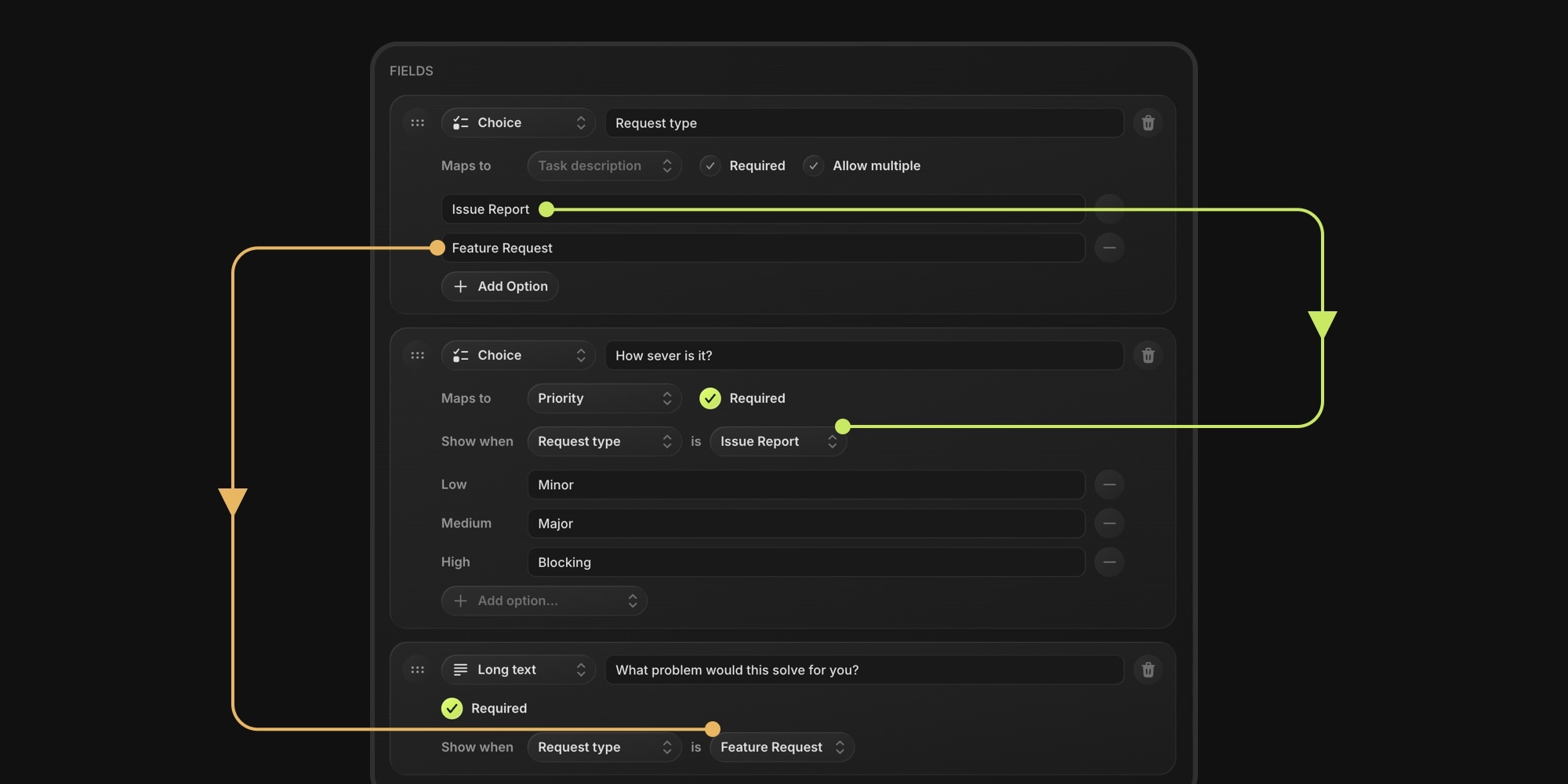
Board Forms now branch. Give every field a Show when condition, and it appears only when an earlier answer matches - a "Bug report" pick reveals bug-specific questions, "Feature request" reveals different ones. Short, relevant forms for submitters; complete, structured answers for you.
#How It Works
- Show when: pick an earlier Choice or Checkbox field as the trigger and choose the answer values that reveal the field - one value or several ("any of")
- Live everywhere: branches open and close as the submitter answers, in the classic layout and in the interactive one-question-per-screen flow, where the progress bar adapts on the fly
- Chained conditions: fields can branch on fields that themselves branch - closing a branch closes its sub-branches
- Nothing leaks: a hidden required field never blocks submission, and answers from an abandoned branch stay out of the submission and the created task
- Per-branch routing: combine branching with field mapping - a mapped choice field inside the Bug branch routes those tasks to your bug project and tags, the Feature branch to your roadmap
That last point is where branching earns its keep for project management: intake lands as correctly routed tasks per branch, so triage happens at submission time instead of in your backlog. Asana and ClickUp gate form branching behind their top-tier plans - in t0ggles it works on the free plan too.
#Getting Started
- Open a form in the builder (or create one)
- Add a Choice field like "Request type" with your branch options
- On any later field, set Show when to that field and pick the revealing values
- Watch the live preview branch as you click through it
Read the Form Branching docs for matching rules, chaining, and editing behavior.