Linear Pricing Explained: Basic, Business and Enterprise Costs at 5 to 50 Seats
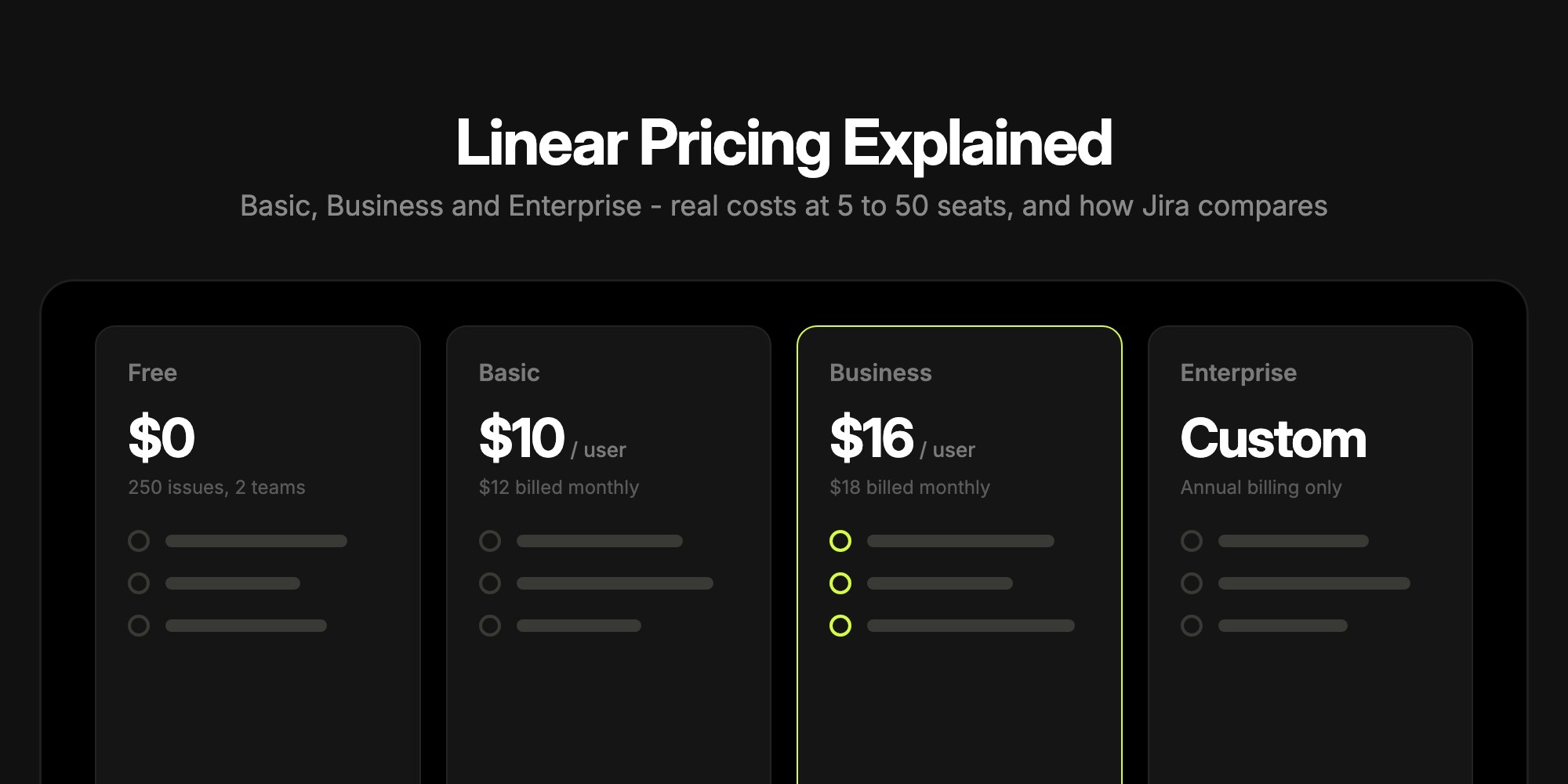
Linear has four plans: Free at $0, Basic at $10 per user per month billed yearly ($12 monthly), Business at $16 per user per month billed yearly ($18 monthly), and Enterprise at a custom price billed annually only. Every member counts as a seat, guests included, so a 10-person team pays $1,200 a year on Basic or $1,920 a year on Business. Basic removes the free plan's limits; most of the features Linear markets - Insights, Asks intake, guests, private teams, Triage Intelligence - start at Business.
This guide covers the paid tiers: what each one adds, what Linear really costs at 5, 10, 25 and 50 seats, how billing works, and how the numbers compare with Jira, whose headline prices are not what a small team pays. If your question is about the free tier - the 250-issue cap, what counts, what happens when you hit it - read Linear Free Plan Limits Explained instead.
#Linear Plans at a Glance
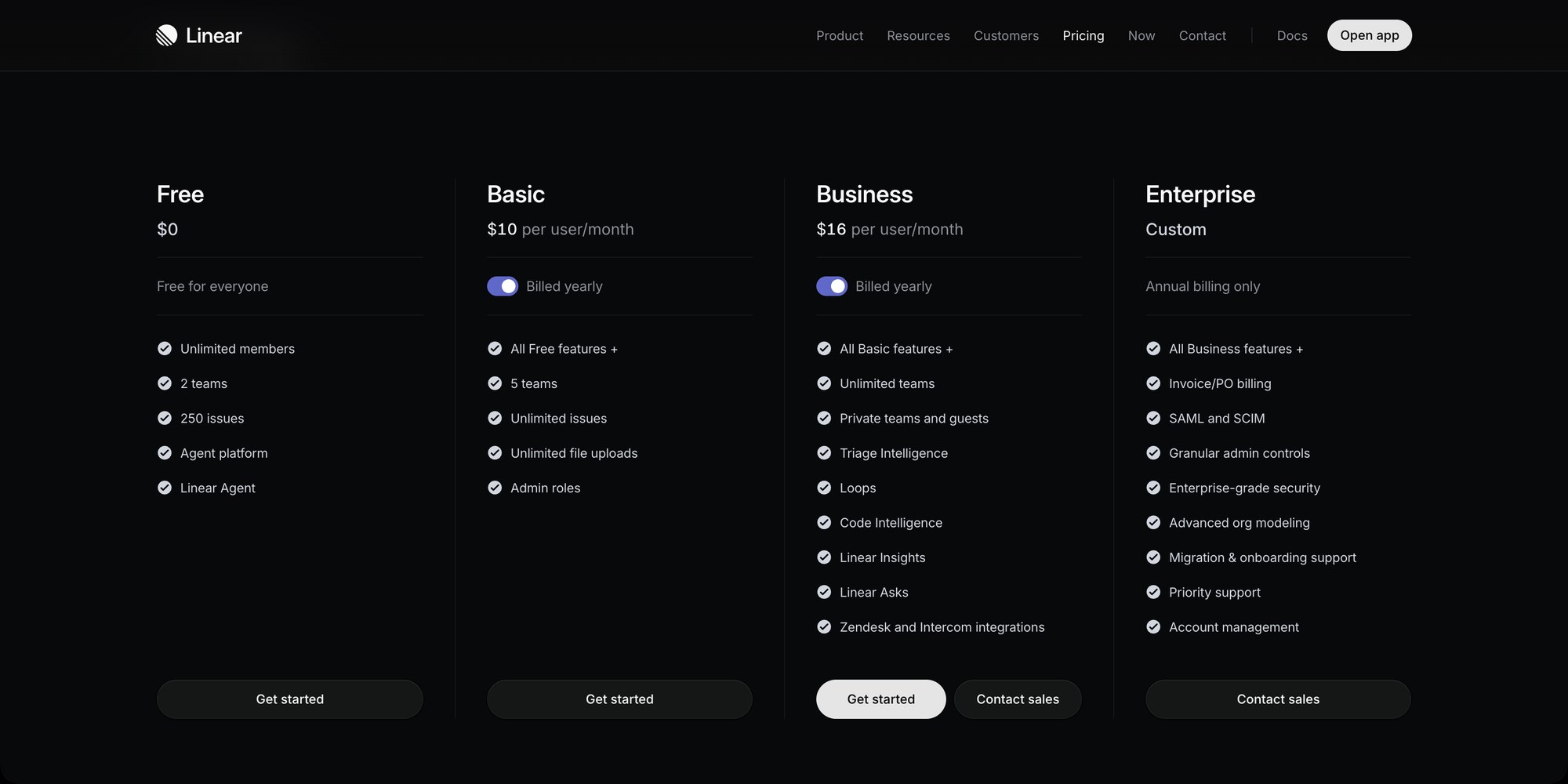
| Plan | Billed yearly | Billed monthly | Teams | Built for |
|---|---|---|---|---|
| Free | $0 | $0 | 2 | Small teams under 250 active issues |
| Basic | $10/user/month | $12/user/month | 5 | Teams that outgrew the issue cap and just want Linear without caps |
| Business | $16/user/month | $18/user/month | Unlimited | Product orgs that need analytics, intake, guests and triage tools |
| Enterprise | Custom | Not offered | Unlimited | Companies that need SAML, SCIM, audit logs and procurement terms |
Members are unlimited on every plan, including Free. The monthly toggle on the pricing page simply shows $12 and $18; the yearly discount works out to about 17% on Basic and 11% on Business.
#What Each Paid Plan Adds
Linear's pricing cards list a handful of headline features per tier, but the full comparison table further down the pricing page is where the real lines are drawn. Here is what moves at each step.
#Linear Basic: $10 per User per Month
Basic is the "remove the limits" plan:
- Unlimited issues instead of 250 active issues
- Unlimited file uploads instead of 10 MB per file
- 5 teams instead of 2
- Admin roles - on Free every member is an admin; on Basic the person who upgrades becomes the admin and everyone else can be a regular member
- Guided reviews, third-party app management, and Linear Agent coding sessions (billed against prepaid AI credits, covered below)
What Basic does not add: analytics, intake from Slack or email, guest accounts, private teams, issue SLAs or triage rules. A Basic workspace is a Free workspace without the ceilings, plus a permission model.
#Linear Business: $16 per User per Month
Business is where Linear's product-org features live:
- Unlimited teams, private teams, and guest accounts (guests are billed as regular members)
- Sub-teams one level deep
- Linear Insights - Linear's analytics for charting issue data across teams
- Linear Asks - Slack and email intake that turns requests into issues
- Triage Intelligence and Code Intelligence - Linear's AI for routing incoming issues and working with your code
- Issue SLAs, triage responsibility and triage rules
- Releases with up to 15 pipelines
- Support integrations for Zendesk and Intercom
- Team owners and advanced authentication options
If your team is choosing Linear partly for Insights or Asks, budget for Business from day one - neither is available on Basic. Linear offers a Business trial from Settings > Plans in the workspace.
#Linear Enterprise: Custom Pricing
Enterprise has no public price. It is billed annually only, sold through sales, and adds:
- SAML SSO and SCIM provisioning (every other plan, including Business, is Google sign-in only)
- Dashboards, sub-initiatives, web forms for intake, and sub-teams up to five levels deep
- Unlimited release pipelines
- Audit log, IP restrictions, domain claiming, HIPAA compliance and granular admin controls
- Multiple Slack workspaces, private Slack channels and per-channel intake configuration
- Salesforce integration as an add-on, multi-tenant Microsoft Teams
- Invoice and PO billing, custom terms, an uptime SLA, priority support and an account manager
Two Enterprise gates catch teams by surprise: web intake forms and SAML. If a security review requires SAML, or you want a form that turns outside requests into issues, the self-serve plans do not cover it.
#What Linear Costs at 5, 10, 25 and 50 Seats
Linear's price is flat per seat - no volume discount on self-serve plans - so the math is simple, and it scales linearly with headcount. Every unsuspended member counts, in any role.
| Seats | Basic yearly | Basic monthly | Business yearly | Business monthly |
|---|---|---|---|---|
| 5 | $600/year | $60/month | $960/year | $90/month |
| 10 | $1,200/year | $120/month | $1,920/year | $180/month |
| 25 | $3,000/year | $300/month | $4,800/year | $450/month |
| 50 | $6,000/year | $600/month | $9,600/year | $900/month |
Two things to keep in mind when you read the table:
- The free plan has no seat limit, so upgrading bills everyone at once. A 25-person workspace that ran on Free for a year goes from $0 to $3,000 a year the day it moves to Basic. Before upgrading, suspend people who no longer need access - suspended users are not billed.
- Guests are seats. On Business, a contractor or client added as a guest costs the same $16 as a full member. If you invite stakeholders just to watch progress, that adds up.
#How Linear Billing Works
Linear's billing docs spell out a few rules that matter more than the sticker price:
- Who is billed: "the number of unsuspended users within a workspace", in any role. Guests are billed as regular members.
- Monthly plans: users you add are charged from the following month. Removing someone mid-month does not credit the rest of that month.
- Yearly plans: you pay for the seat count at upgrade. Added users get a prorated charge for the rest of the subscription year, suspended users a prorated credit, reconciled monthly as a true-up invoice or credit.
- Credits, not refunds: credits apply to future invoices or renewals. Linear does not refund cancellations mid-subscription, and plan changes take effect at the end of the current period.
- Cancelling deletes nothing - the workspace drops back to Free, and if it is over 250 issues, nobody can create new ones.
Linear's own advice is to start monthly and switch to yearly once the team size settles, which is sensible: the yearly saving on Basic is $24 per seat per year, and the yearly true-up model punishes guessing high.
#AI Credits Are Billed Separately
Most of Linear's AI is included in the seat price. Two features are not: coding sessions, where Linear Agent writes code and opens pull requests, and Loops, which run agent work in the background. Both draw from a prepaid, workspace-level balance:
- Coding sessions bill model tokens at the provider's published rates with no markup, plus $0.25 per 20-minute block of sandbox runtime
- A typical Loop run without a coding session costs $0.07 to $0.20
- Top-ups start at $10 (auto-reload at $50), are credit card only, sit on a separate invoice, and expire 12 months after purchase
It is opt-in: a workspace that never adds funds is never charged. But if you plan to lean on Linear Agent, the seat price is not the whole bill.
#Discounts
Linear publishes three programs:
- Nonprofits: 75% off Basic and Business (not Enterprise), at Linear's discretion
- Education: full-time students get a free year for student-led programs; university staff get 75% off Basic and Business, with a .edu address and proof of enrollment or employment
- Startups: up to six months of free Business for startups affiliated with Linear's partners (accelerators, VCs and some publications run their own redemption links)
#Linear vs Jira Pricing
The most-repeated comparison - "Jira Standard $8.48 vs Linear Basic $10" - is misleading, because Jira's headline prices are not flat per-user rates. Jira's pricing calculator defaults to 300 users, and $8.48 (Standard) and $15.56 (Premium) are the average per-user prices at that size. Jira's monthly pricing is progressive: users 1 to 100 pay $9.70 on Standard and $19.60 on Premium (Atlassian raised both in October 2026), with cheaper rates only kicking in above 100 users. Annual Jira plans are sold in user tiers (1-10, 11-15, 16-25, 26-50, 51-100...) at a fixed price per tier.
Here is the calculator set to a 10-person team:
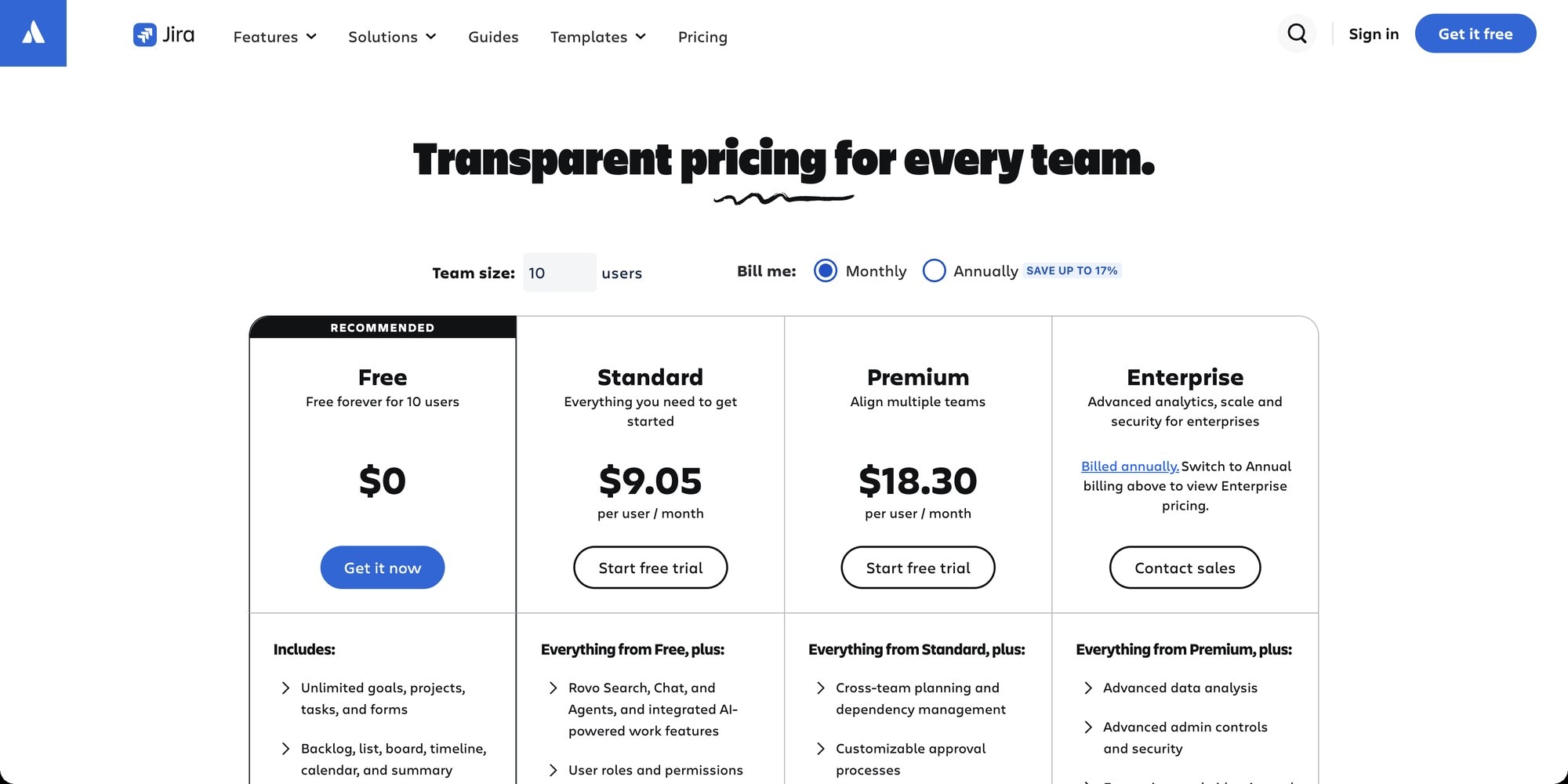
So for the teams that actually compare Linear and Jira, the real yearly totals are:
Entry tier: Linear Basic vs Jira Standard
| Seats | Linear Basic, billed yearly | Jira Standard, billed annually | Jira Standard, billed monthly |
|---|---|---|---|
| 5 | $600 | $950 (1-10 user tier) | $582 |
| 10 | $1,200 | $950 | $1,164 |
| 25 | $3,000 | $2,450 | $2,910 |
| 50 | $6,000 | $4,850 | $5,820 |
Upper tier: Linear Business vs Jira Premium
| Seats | Linear Business, billed yearly | Jira Premium, billed annually | Jira Premium, billed monthly |
|---|---|---|---|
| 5 | $960 | $1,950 (1-10 user tier) | $1,176 |
| 10 | $1,920 | $1,950 | $2,352 |
| 25 | $4,800 | $4,900 | $5,880 |
| 50 | $9,600 | $9,800 | $11,760 |
All figures are per year. The Jira monthly columns are $9.70 and $19.60 per user per month, times 12.
What the tables show:
- At the entry tier, Jira is about 20% cheaper from 10 seats up - as long as you pick Jira's cheaper billing option. At 5 seats the gap almost disappears ($582 against $600), and that team should pay Jira monthly rather than annual ($950), because annual billing starts at the 1-10 user tier.
- At the upper tier, Linear is cheaper. Billed monthly, Linear Business ($18) undercuts Jira Premium ($19.60) by about 8% for any team under 100. Billed yearly, Linear Business is about 2% cheaper from 10 seats up. At 5 seats Linear Business wins by a wide margin, again because of Jira's 10-user minimum tier.
- Above 100 users, Jira pulls ahead, because its per-user rate drops for users 101-250 ($8.20 on Standard, $14.65 on Premium) while Linear's self-serve price stays flat. Large Linear deployments usually go to Enterprise and negotiate.
#The Free Plans Point in Opposite Directions
Jira Free allows up to 10 users with unlimited work items and 2 GB of storage. Linear Free allows unlimited users with 250 active issues and 10 MB per file. Under 10 people, Jira Free goes further; above 10 people Linear Free still works, as long as the backlog stays small. A 10-person team can run on either at $0 - the deciding question is whether you hit the issue cap or the seat cap first.
#What the Money Buys
Price per seat only matters next to what each tier includes:
| At this tier | Linear | Jira |
|---|---|---|
| Entry (Basic / Standard) | Unlimited issues and uploads, 5 teams, admin roles | User roles and permissions, Rovo AI (25 credits per user a month), 250 GB storage, 400 automation steps per user a month |
| Upper (Business / Premium) | Insights, Asks intake, guests, private teams, triage AI, SLAs | Cross-team planning and dependencies, approvals, 70 Rovo credits per user, unlimited storage, 99.9% uptime SLA |
| Enterprise | SAML, SCIM, web forms, dashboards, audit log | Atlassian Guard Standard (SCIM, enforced SSO), up to 150 sites, 99.95% uptime SLA |
Tier for tier, Jira's entry plan bundles more: Standard adds permissions, external collaboration (anonymous access for people outside your org) and Atlassian's Rovo AI, while Linear Basic mostly lifts Free's caps. Linear's case is that the things engineers notice daily - the speed, cycles, the command palette, GitHub integration - are already on Free, so there is less to buy. For the broader trade-off between the two products, see Linear vs Jira.
#Is Linear Cheaper Than Jira?
At the entry tier, no: Jira Standard costs roughly 20% less than Linear Basic from 10 to 50 seats, and slightly less at 5. At the upper tier, yes: Linear Business is cheaper than Jira Premium for any team under 100 - about 8% on monthly billing ($18 against $19.60) and about 2% on yearly billing - and by far the cheaper pick for a team under 10, because Jira's annual plans bill the full 1-10 tier. So the answer depends on which tier you need.
#Which Linear Plan Should You Pick?
- Stay on Free if you are under 250 active issues and archive closed work - see the free plan guide for how to stretch it.
- Pick Basic if the cap, the 10 MB upload limit or the two-team limit is the only thing in your way. It is the cheapest way to keep using Linear exactly as you do now.
- Pick Business if you need analytics, Slack or email intake, guests for contractors and clients, or private teams. Most product organizations land here.
- Talk to sales for Enterprise only if SAML, SCIM, audit logs, web forms or invoice billing are hard requirements.
#How t0ggles Pricing Compares
Linear's pricing model is three self-serve tiers where the features most teams want sit on the middle one. t0ggles takes the opposite approach: one paid plan at $5 per user per month billed annually, with everything unlimited and nothing gated behind a higher tier. The free plan covers 1 board, 3 team members, 5 projects, 100 tasks, 50 notes, 100 MB of file storage, and 25 AI actions a month.
| Seats | Linear Basic yearly | Linear Business yearly | t0ggles paid plan |
|---|---|---|---|
| 5 | $600/year | $960/year | $300/year |
| 10 | $1,200/year | $1,920/year | $600/year |
| 25 | $3,000/year | $4,800/year | $1,500/year |
| 50 | $6,000/year | $9,600/year | $3,000/year |
The features Linear reserves for Business and Enterprise are on every t0ggles plan: reports for burndown and workload, intake forms that turn public submissions into tasks, public boards, task dependencies with a Gantt view, and two-way GitHub sync between issues and tasks.
Where Linear is genuinely stronger: its free plan has no seat cap (t0ggles Free stops at 3 team members), and its engineering-specific tooling - cycles, Triage Intelligence, Code Intelligence and Linear Agent - goes deeper than a general project management tool. If your team is all engineers and lives in triage, that depth can be worth the higher seat price. If you are a mixed team of engineers, designers and PMs who want reports, forms and a public roadmap without a $16 tier, compare the two in t0ggles vs Linear.
#Frequently Asked Questions
#Getting Started
- Count your unsuspended members in Linear's workspace settings, and suspend anyone who no longer needs access before you upgrade.
- Decide whether you need Business-only features (Insights, Asks, guests, private teams). If not, Basic is the plan.
- Start monthly if your headcount is still moving, then switch to yearly once it settles.
- If the price per seat is the sticking point, put the same headcount into a free t0ggles board - 100 tasks per board free, and $5 per user per month for everything when you outgrow it.
Don't Miss What's Next
Get updates, design tips, and sneak peeks at upcoming features delivered straight to your inbox.