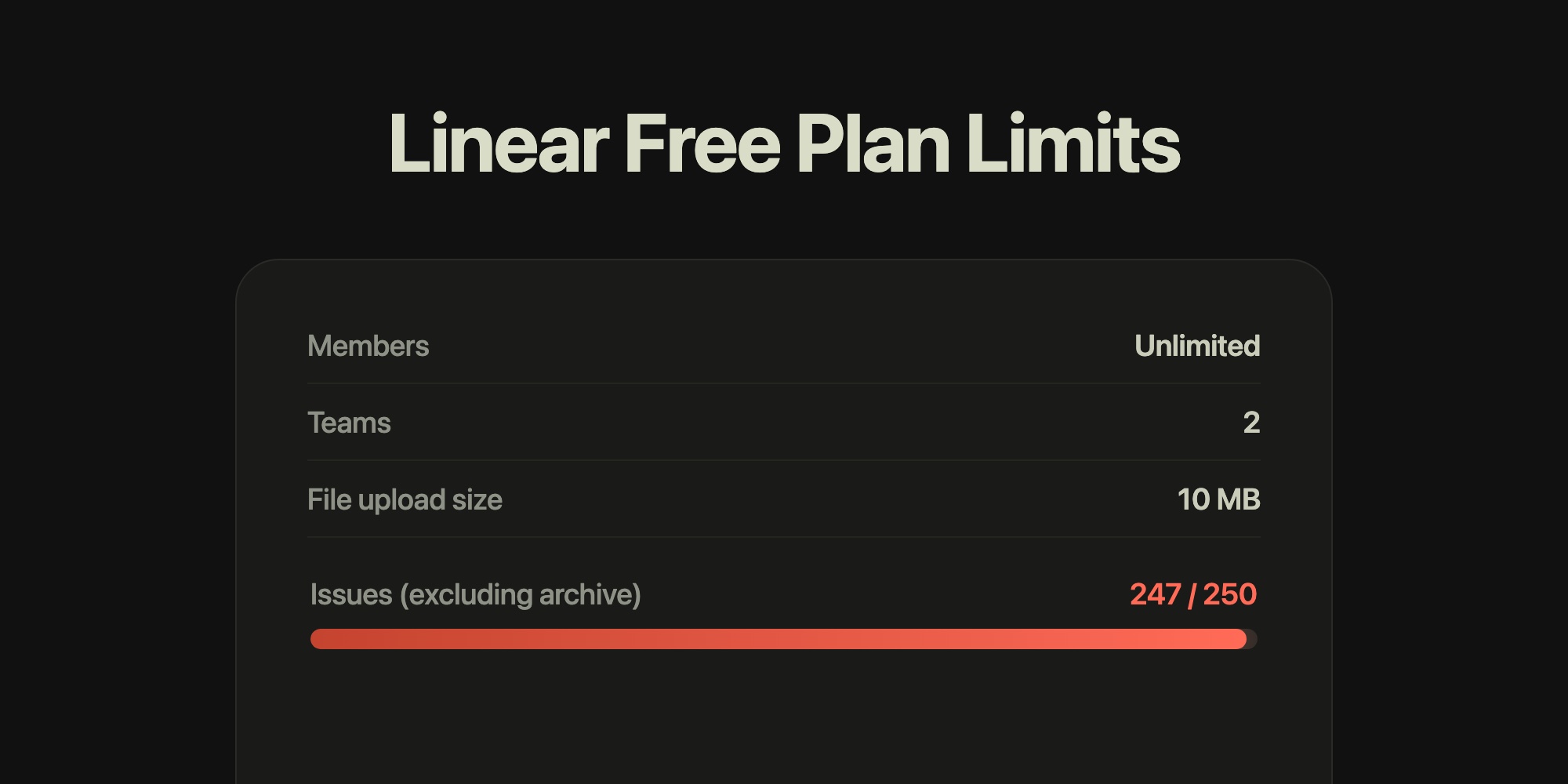
Linear Free Plan Limits Explained: 250 Issues, 2 Teams, and What Happens at the Cap
Yes, Linear is free: the Free plan costs $0, has no time limit and allows unlimited members, but caps a workspace at 250 issues, 2 teams, 10 MB per file upload, and Google-only SSO. The 250 count excludes archived issues, so archiving is the pressure valve. Once a workspace passes 250 active issues, you cannot create new ones until you archive some or upgrade to Basic at $10 per user per month billed yearly ($12 monthly). Business is $16 yearly ($18 monthly) and Enterprise is custom, annual only.
That answers both "is Linear free?" and "what are the Linear free plan limits?". The rest of this guide covers what each limit means in practice, what the cap looks like when you hit it, which features sit on which tier, and how the free plan compares with alternatives.
#Every Linear Free Plan Limit
Here is the Usage section of Settings > Plans in a free workspace - the in-app table is more precise than the marketing page because it spells out that the issue count excludes the archive:
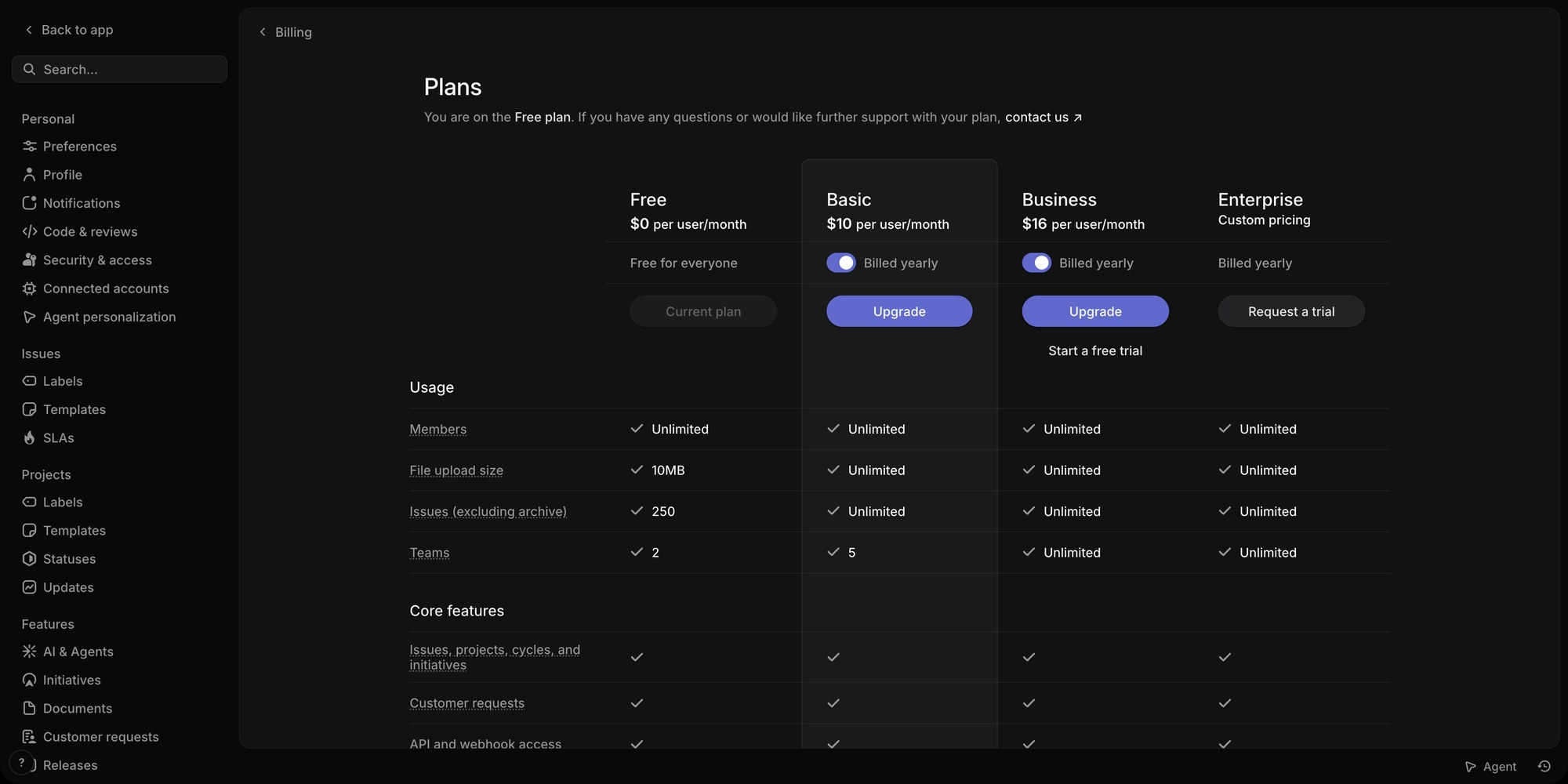
| Limit | Free | What it means |
|---|---|---|
| Members | Unlimited | Invite the whole company. Seats are never the constraint on Free |
| Issues | 250, excluding archive | Counts every non-archived issue in the workspace, including Done and Canceled ones. Sub-issues count too |
| Teams | 2 | Teams are the top-level containers for issues, workflows and cycles. Two is enough for, say, Engineering + Design |
| File upload size | 10 MB per file | Screenshots are fine; screen recordings and design exports often are not |
| SSO | Google sign-in | SAML SSO starts on Business, SCIM on Enterprise |
| Core features | Included | Issues, projects, cycles, initiatives, customer requests, and Linear's agent platform are all on Free |
The important nuance is that 250 is a workspace-wide total of active issues, not a monthly quota and not a per-team number. A two-team workspace shares the 250. Nothing resets it except archiving or deleting issues.
#What Happens When You Hit 250 Issues
Linear's billing docs put it plainly: once a free workspace has over 250 issues, "you will no longer be able to create new issues." Existing issues stay editable, boards keep working, and integrations that create issues - GitHub, Slack, the API - fail to create new ones until the count drops.
Three ways out, in order of cost:
- Archive closed issues. Archived issues do not count toward the 250, and archiving is reversible - you can search for and restore an archived issue later.
- Turn on or shorten auto-archive. In Team Settings under Issue statuses & automations, Linear auto-archives completed and canceled issues after a period of inactivity. The default is six months; set it to one month and a busy team's Done column stops eating the cap.
- Upgrade to Basic, which removes the issue limit entirely.
Auto-archive runs roughly daily, so shortening the period does not free space instantly, but it holds a small team under the cap indefinitely as long as work actually gets closed. Where teams get stuck is a large backlog: 250 open ideas with nothing to archive means the free plan is over regardless of how tidy Done is.
#Linear Pricing: What Each Plan Adds
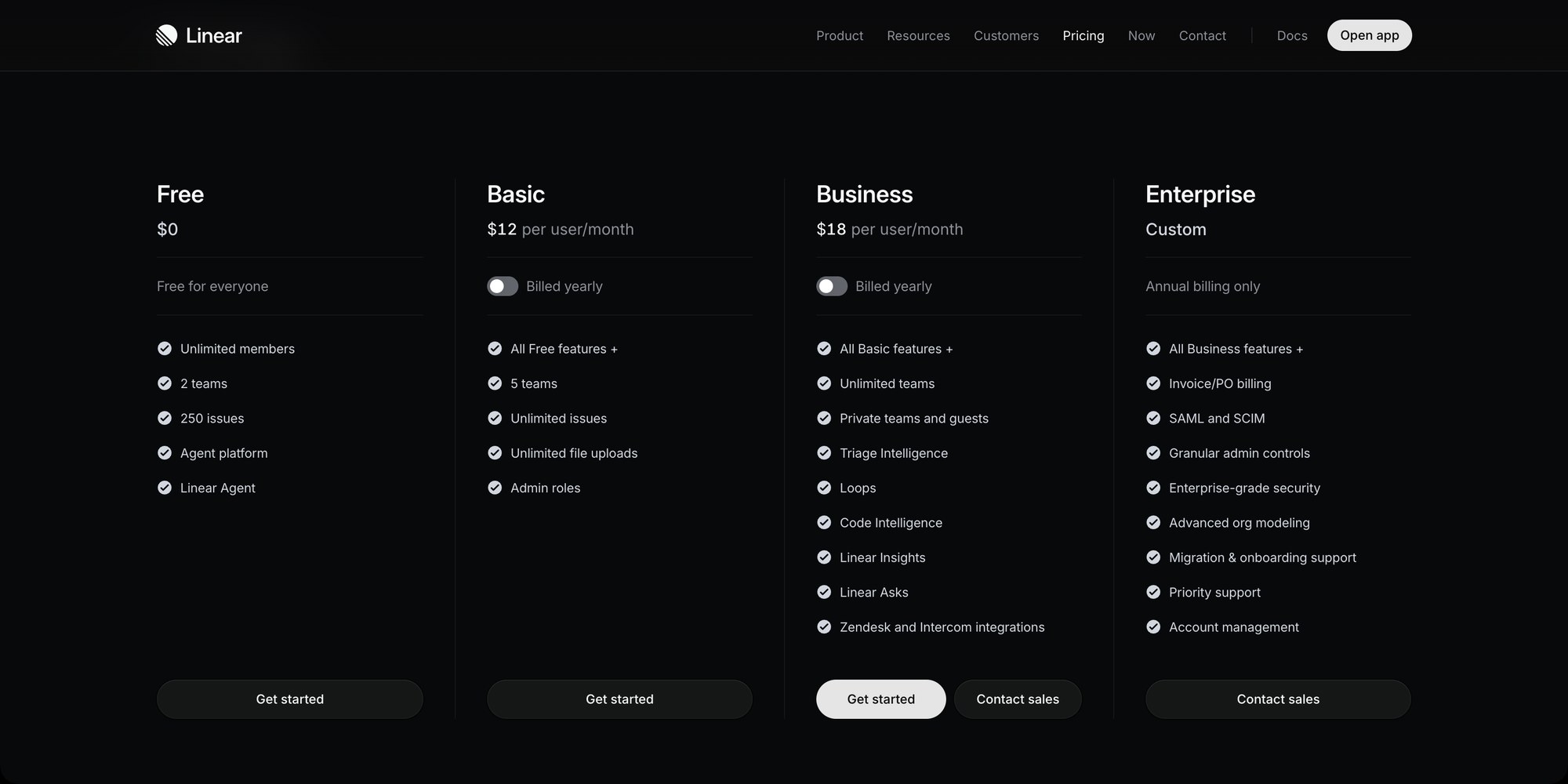
Linear has four plans. Yearly and monthly prices differ on the two paid self-serve tiers, and Enterprise is annual only. This section is the short version - per-seat totals at 5 to 50 seats, billing rules and AI credits are in Linear Pricing Explained.
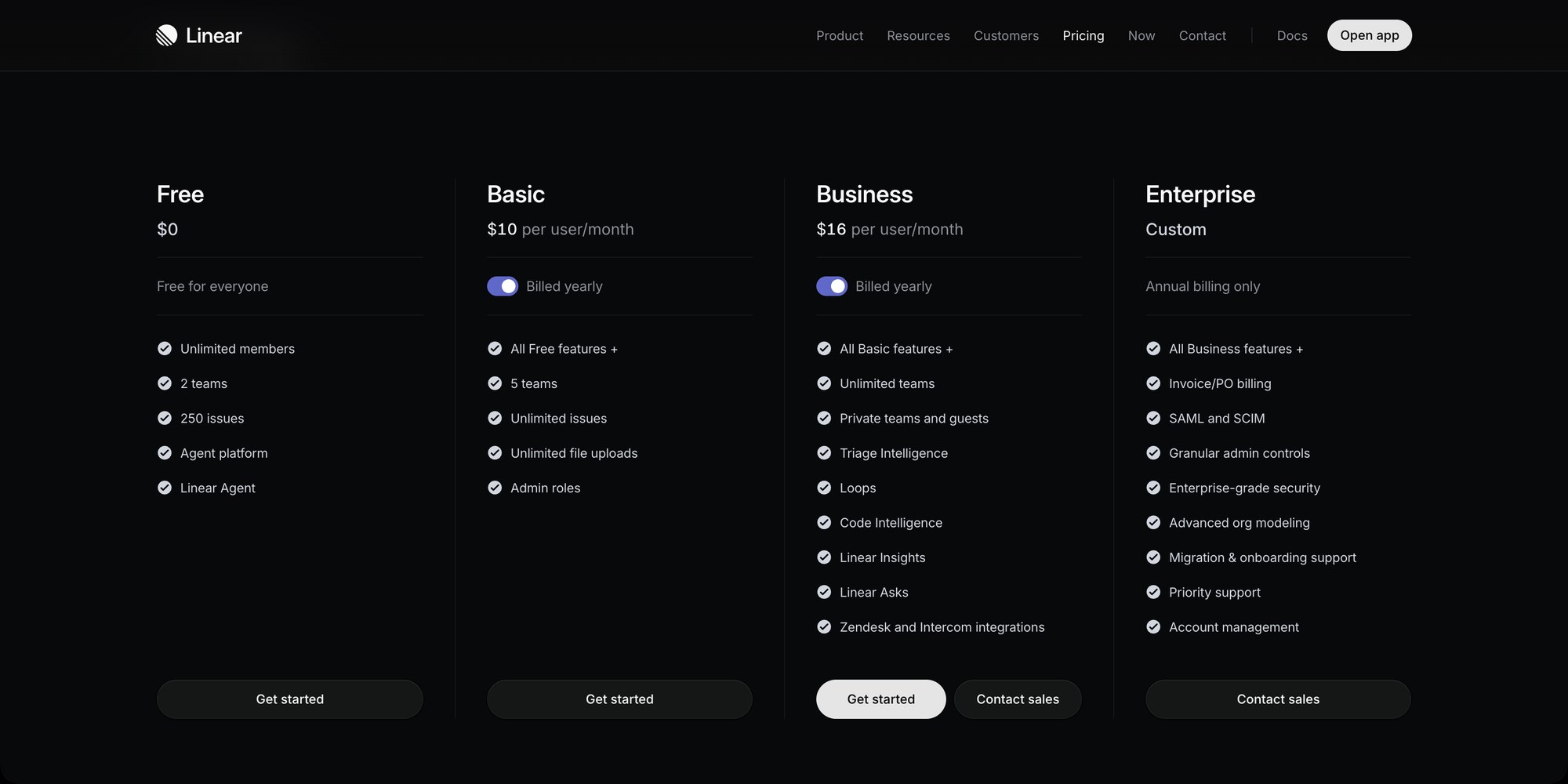
| Plan | Yearly | Monthly | Adds |
|---|---|---|---|
| Free | $0 | $0 | Unlimited members, 2 teams, 250 issues, 10 MB uploads, agent platform |
| Basic | $10/user/month | $12/user/month | 5 teams, unlimited issues, unlimited file uploads, admin roles |
| Business | $16/user/month | $18/user/month | Unlimited teams, private teams and guests, Triage Intelligence, Loops, Code Intelligence, Linear Insights, Linear Asks, Zendesk and Intercom integrations |
| Enterprise | Custom | Annual only | SAML and SCIM, invoice/PO billing, granular admin controls, advanced org modeling, migration and onboarding support, priority support |
A few things worth knowing before you pick a tier:
- Basic is the "remove the limits" plan. It lifts issues and uploads to unlimited and takes teams from 2 to 5. It does not add analytics, guests or intake.
- Most of the features Linear markets are Business features. Insights (analytics), Asks (Slack and email intake), Triage Intelligence, guest accounts and private teams all start at $16 per user per month yearly. Business has a free trial; look for "Start a free trial" under the Business column in Settings > Plans.
- Web intake forms are Enterprise only, and submitters sign in through your identity provider. If you want a public form that turns requests into issues, Linear is not the tool on any self-serve tier.
- Per-user pricing covers every member. Because Free allows unlimited members, the jump to Basic can be a surprise: a 20-person workspace that never paid a cent becomes $200 per month billed yearly.
#Is Linear Cheaper Than Jira?
Not at the entry tier. For teams up to 100, Jira Standard is $9.70 per user per month billed monthly against Linear Basic at $12, and billed annually a 10-person team pays $950 a year for Jira Standard against $1,200 for Linear Basic. At the upper tier Linear is cheaper: Jira Premium is $19.60 a month against Linear Business at $18, and billed annually a 10-person team pays $1,950 for Jira Premium against $1,920 for Linear Business. (Jira's headline $8.48 and $15.56 are averages at 300 users.) Jira's free plan caps at 10 users with no issue limit, while Linear's caps at 250 issues with no user limit - so under 10 people Jira Free stretches further, and over 10 people Linear Free does. The seat-by-seat math is in Linear vs Jira pricing, and the product comparison in Linear vs Jira.
#Is the Linear Free Plan Enough?
It is enough for a small engineering team that closes issues and archives them. Unlimited members is genuinely generous - most competitors cap seats before they cap anything else - and everything that makes Linear fast is on Free: List and Board views, cycles, projects, the command palette, GitHub integration.
If your code already lives on GitHub, weigh the free option you already have: GitHub Issues has no issue cap on GitHub Free. Linear vs GitHub Issues covers where each one is the better fit.
It stops being enough in three predictable situations:
- A growing backlog. Product teams that log every idea reach 250 open issues in a few months, and archiving does not help with open work.
- Files bigger than 10 MB. Design teams attaching Figma exports or recordings hit this first.
- A third team. Any org structure past two teams needs Basic.
#How t0ggles' Free Plan Compares
If the issue cap is the wall you are hitting, the shape of the alternative matters. t0ggles limits its free plan differently: 100 tasks per board and 3 seats, but with every feature turned on - Columns, List, Calendar and Gantt views, task dependencies, milestones, reports, public boards and intake forms. There is one paid plan at $5 per user per month billed annually, and it makes everything unlimited with no tier gating.
| Aspect | Linear Free | t0ggles Free |
|---|---|---|
| Members | Unlimited | 3 team members |
| Issues / tasks | 250 active per workspace | 100 tasks per board, archived tasks excluded |
| Teams / projects | 2 teams | 5 projects on 1 board |
| File uploads | 10 MB per file | 100 MB total storage |
| Analytics | Business ($16) | Included |
| Intake forms | Enterprise | 1 form per board, 50 submissions a month |
| Public boards | No | Included |
| AI | Agent platform on Free | 25 AI actions a month |
| Paid entry | $10/user/month (Basic) | $5/user/month, everything unlimited |
Be honest with yourself about headcount. Linear Free wins outright for a 15-person team that just needs an issue tracker, because t0ggles Free stops at 3 seats. t0ggles Free wins for a small team that wants reports, forms, dependencies and a public roadmap without a $16 Business tier - and the $5 paid plan stays cheaper than Linear Basic once you do pay.
For the feature-by-feature comparison see t0ggles vs Linear. If you are weighing Linear's board specifically, read Does Linear Have a Kanban Board?.
#Frequently Asked Questions
#Getting Started
- Check where you stand in Linear under Settings > Plans - the Usage section shows the current limits for your workspace.
- If you are close to 250, shorten auto-archive under Team Settings > Issue statuses & automations and archive anything already closed.
- If the backlog itself is the problem, price out Basic for your headcount, then compare it with a free t0ggles board - 100 tasks, every feature on, and $5 per user when you outgrow it.
Don't Miss What's Next
Get updates, design tips, and sneak peeks at upcoming features delivered straight to your inbox.