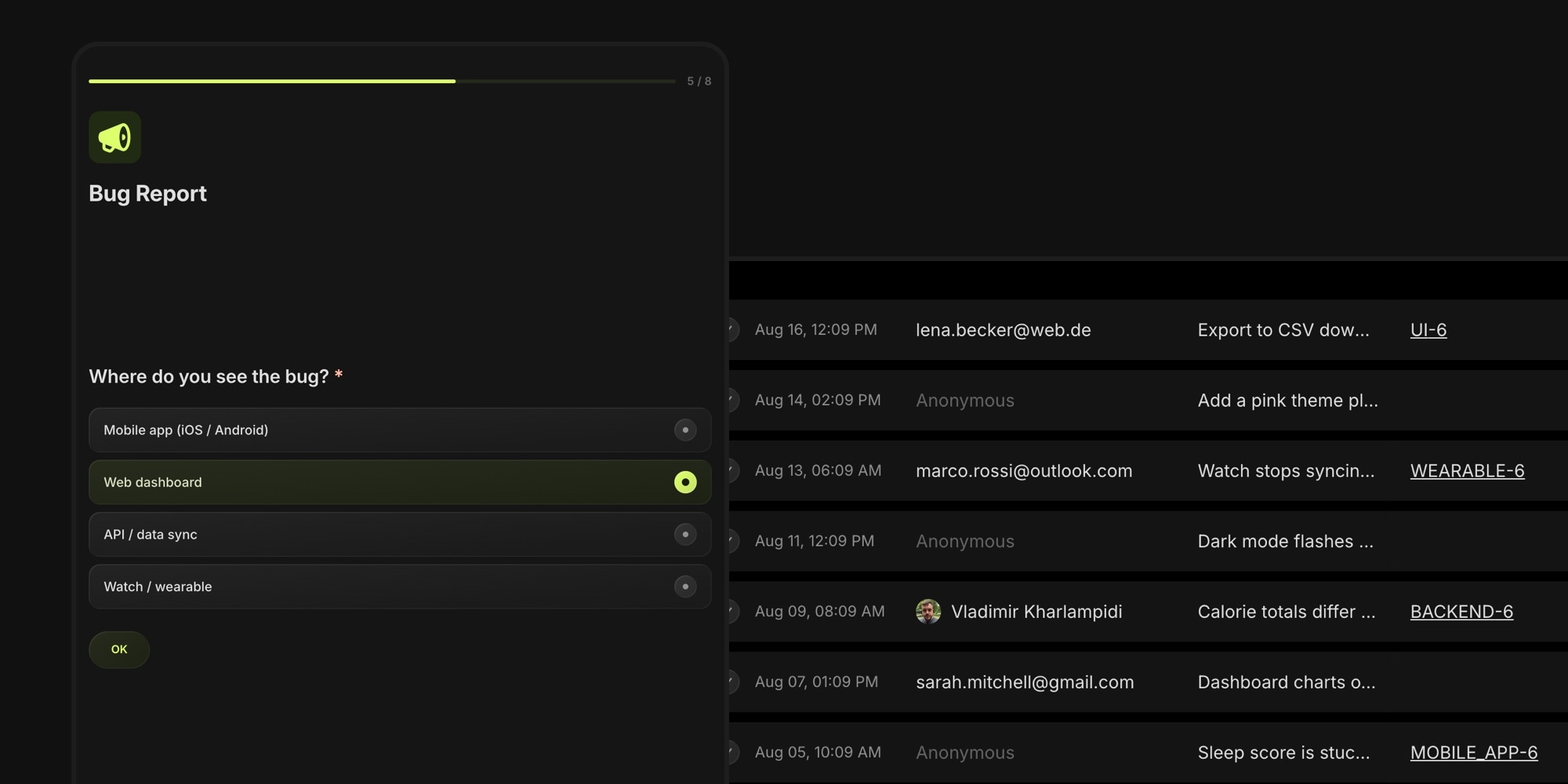
Introducing Board Forms: Turn Any Request Into a Task
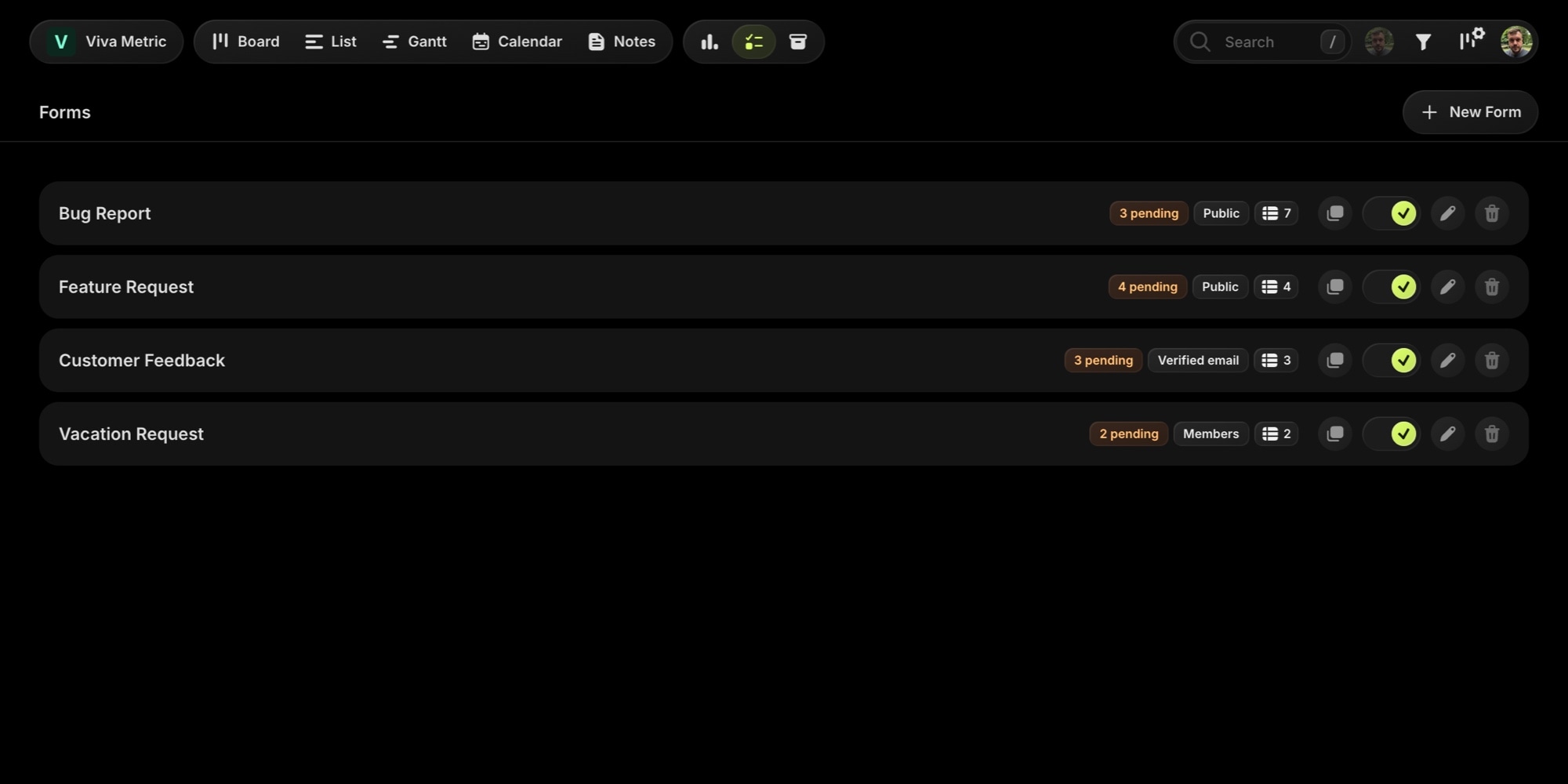
Work rarely starts on the board. It starts as an email, a Slack message, a "quick thing" someone mentions in a call. Then somebody - usually you - has to copy it over, figure out which project it belongs to, tag it, set a priority, and chase the requester for the screenshot they forgot to attach.
Board Forms close that gap. Build an intake form for your board, share a link, and every submission arrives as a task - already routed to the right project, with the right tags and priority, screenshots attached, and a reply channel to the person who sent it. Bug reports, feature requests, client requests, job applications, support intake: if it comes from outside the board, a form can catch it.
#From Answer to Task Field, Automatically
The core idea behind Board Forms is field mapping. Instead of reading every submission and setting task fields by hand, you map form fields to task fields once - a Choice field routes to a project, another applies tags, a Date field sets the due date, a Short Text field becomes the task title. Custom board properties work as targets too.
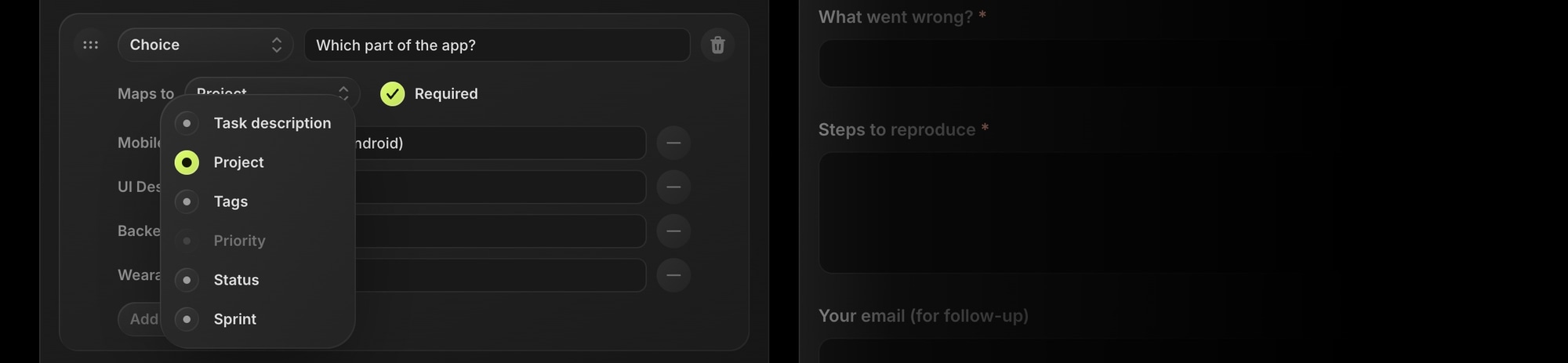
Mapped choice options aren't free text - they point at real board entities. Each option can carry a public label, so submitters see "Something is broken" while the task gets your "bug" tag. And because options reference actual projects and tags, there's nothing to keep in sync: rename a tag and the mapping still works.
Every answer without a mapping lands in the task description as a structured "label: value" block, so nothing a submitter types is ever lost. And every form has a fallback project and status - a stale or unanswered mapping never blocks a submission.
The result: a form is not a mailbox, it's a triage machine. Read the details in the field mapping docs.
#Anyone Can Submit - No Account Needed
Forms are built for collecting from the outside, so submitters never need a t0ggles account unless you want them to. Each form has one of three access modes:
- Public - anyone with the link submits anonymously. An invisible Cloudflare Turnstile check keeps bots out without making humans click traffic lights.
- Verified email - submitters confirm their address with a 6-digit code first, so every submission comes with a real reply-to address. The right mode for client requests and support intake.
- Members - only signed-in board members and guests, with the submission linked to their account.
#Review Before It Hits the Board
With Require approval enabled (the default for public forms), submissions wait in a pending queue and no task is created until you approve. Approve applies the mappings and creates the task; decline doesn't - but the raw answers stay on record forever, so you can always audit what came in or recover from a misconfigured mapping.
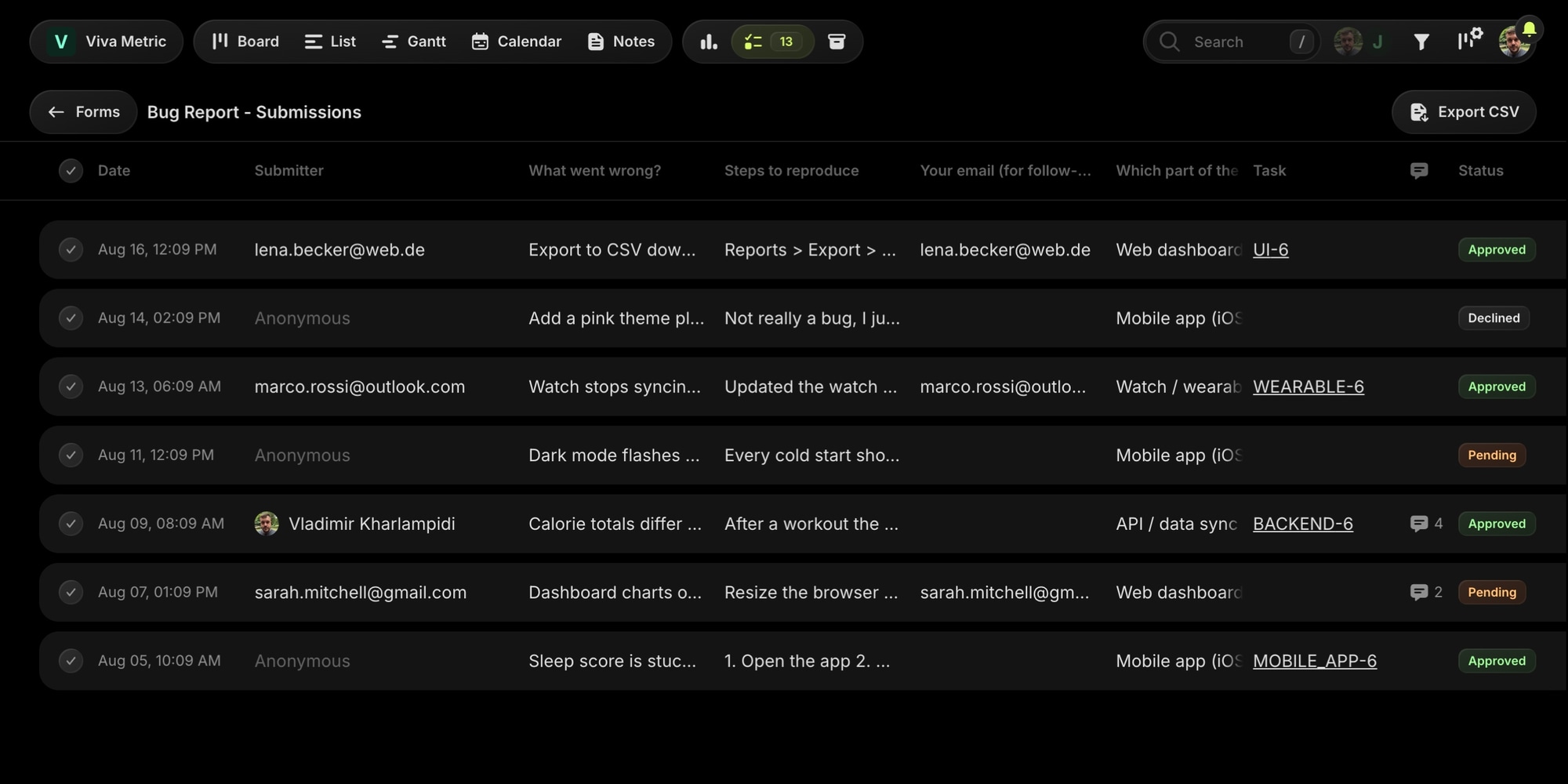
The submissions table shows every submission live as it arrives, with a column per field, the submitter, the created task's key, and a status chip. Select rows to approve, decline, or delete in bulk, and export everything to CSV. Board admins get a notification for every new submission, and the Forms button in the navbar carries a pending-count badge so the queue never goes stale unnoticed.
Triage isn't an admin-only job either: board members with access to all projects can review, approve, decline, and message submitters - so a support agent can work the queue without admin rights.
#Screenshots Ride Along
A File Upload field lets submitters attach files, and uploads land on the created task as regular attachments. For bug report forms this is the difference between "it's broken" and a report you can actually act on. Public forms accept images and documents up to 8 MB per file; members forms go up to 100 MB and any file type. See form fields for all nine field types.
#Talk to the Submitter
Every submission has a message thread. Type a message in the submission view and t0ggles emails it to the submitter; their reply from their inbox lands right back in the thread. Ask for missing details before approving, or close the loop with "this is fixed - thanks for reporting" after.
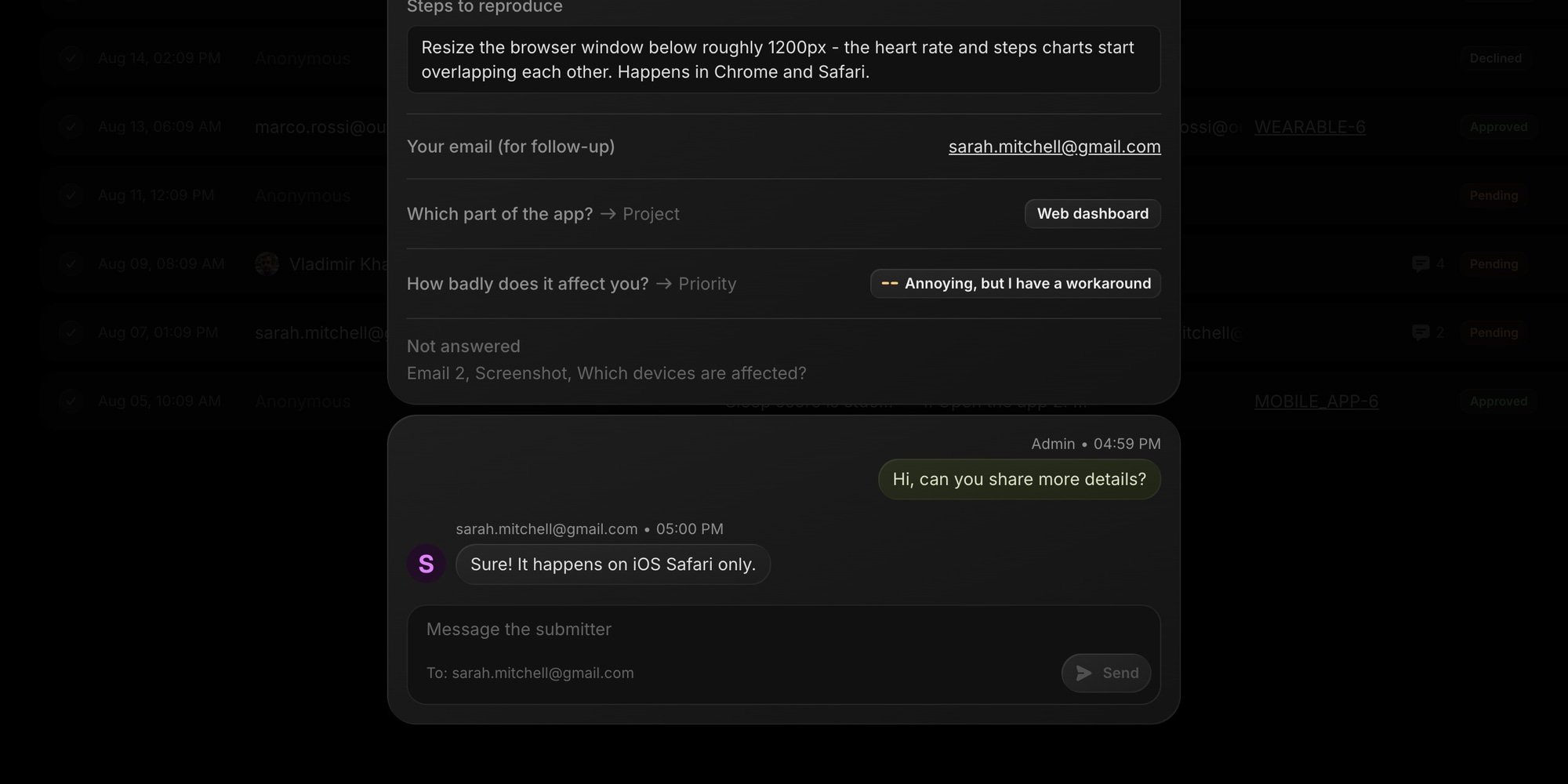
It's a two-way conversation without the submitter ever creating an account, and without your team leaving the board. For agencies and support teams this turns intake into a lightweight helpdesk - requests, triage, and follow-up all in one place.
#Classic or Interactive
Forms come in two layouts. Classic shows all questions on one page. Interactive shows one question per screen with a progress bar - a focused, conversational flow that works great on mobile. Enter advances, single-choice questions auto-advance after a pick, and forms with a description open on a welcome screen with your logo.
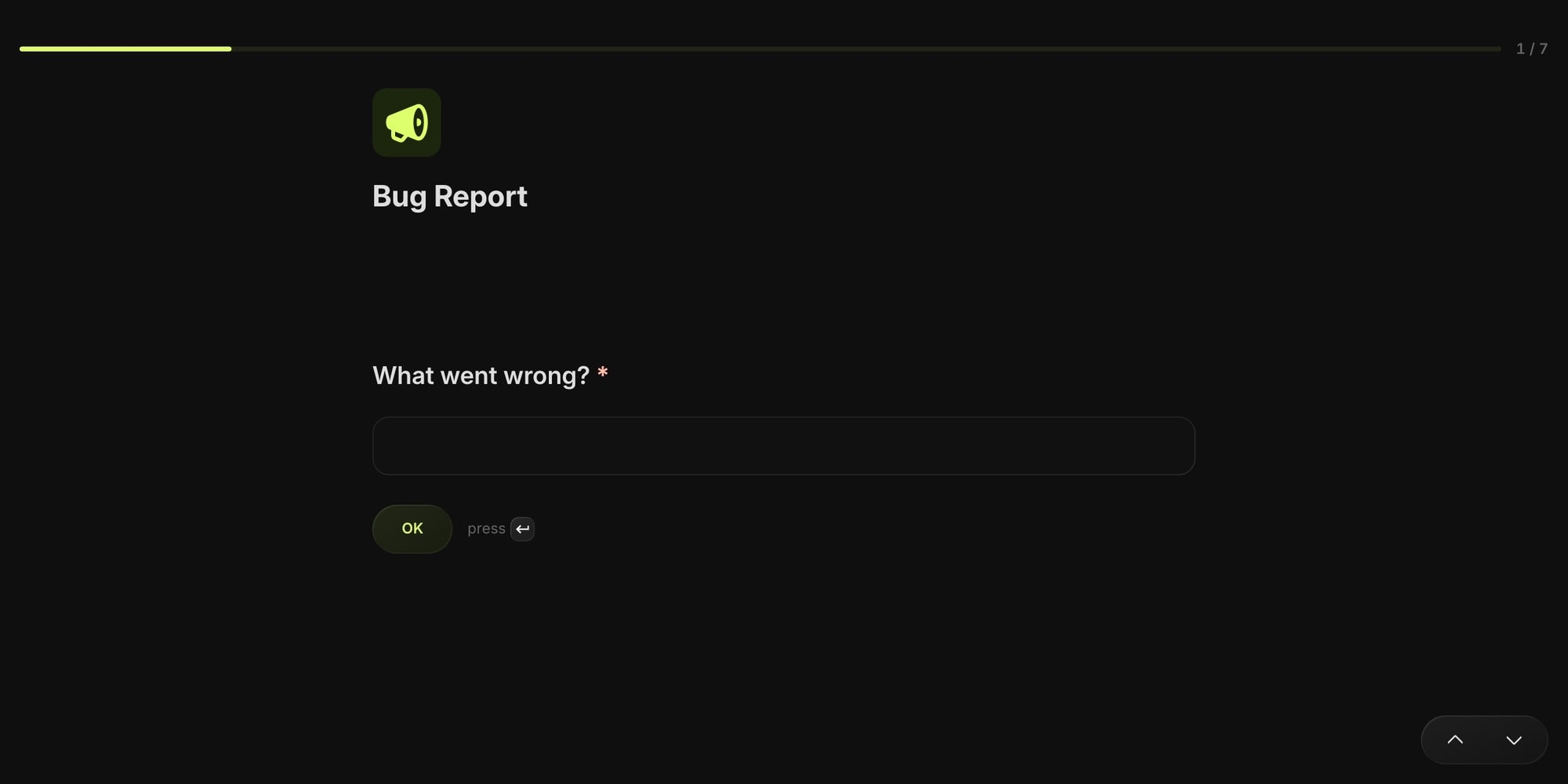
Switch between the two at any time - it's purely presentational, and the builder's live preview follows along.
#Your Brand, Your Domain
Public form pages render with your board appearance - your brand color, in light and dark mode - and show your board, project, or custom logo. If your board has a custom domain, forms are served from it automatically: requests.yourcompany.com/f/... instead of t0ggles.com/f/....
Need personalized links? Prefill links open the form with answers already filled in via query parameters - perfect for intake links from a CRM or an email campaign.
#Built for Your Stack
Two more pieces for teams with a workflow beyond the board:
- Webhooks (paid plan) - each form can POST submissions to your CRM or a catch-hook in Zapier, Make, or n8n, HMAC-signed, firing on creation, approval, and decline. The
submission.createdevent fires even for pending submissions - the lead exists whether or not you approve the task. See the webhook docs for payloads and verification. - AI triage - the t0ggles MCP server includes form tools, so an AI assistant can work the queue for you: "list today's submissions, approve everything from the Bug Report form that mentions a crash".
#On the Free Plan Too
Board Forms are included in the free plan: 1 form per board and 50 submissions per month, with a "Made with t0ggles" badge on the public page. The paid plan removes the badge and makes forms and submissions unlimited, and adds webhooks.
If you've been using public task submissions, that feature keeps working as-is - Board Forms are its much bigger sibling for when you need structure, routing, and follow-up.
#Getting Started
- Click the new Forms button in your board navbar and hit New Form.
- Add fields, map the ones that should route the task, and watch the live preview.
- Pick who can submit and whether submissions need approval.
- Copy the link and put it where requests come from - email signature, website footer, Slack channel, README.
The full walkthrough is in the Forms documentation, and the release notes have the summary.
Not on t0ggles yet? Start free, build your first intake form in minutes, and let requests route themselves - no card required → t0ggles.com
Don't Miss What's Next
Get updates, design tips, and sneak peeks at upcoming features delivered straight to your inbox.