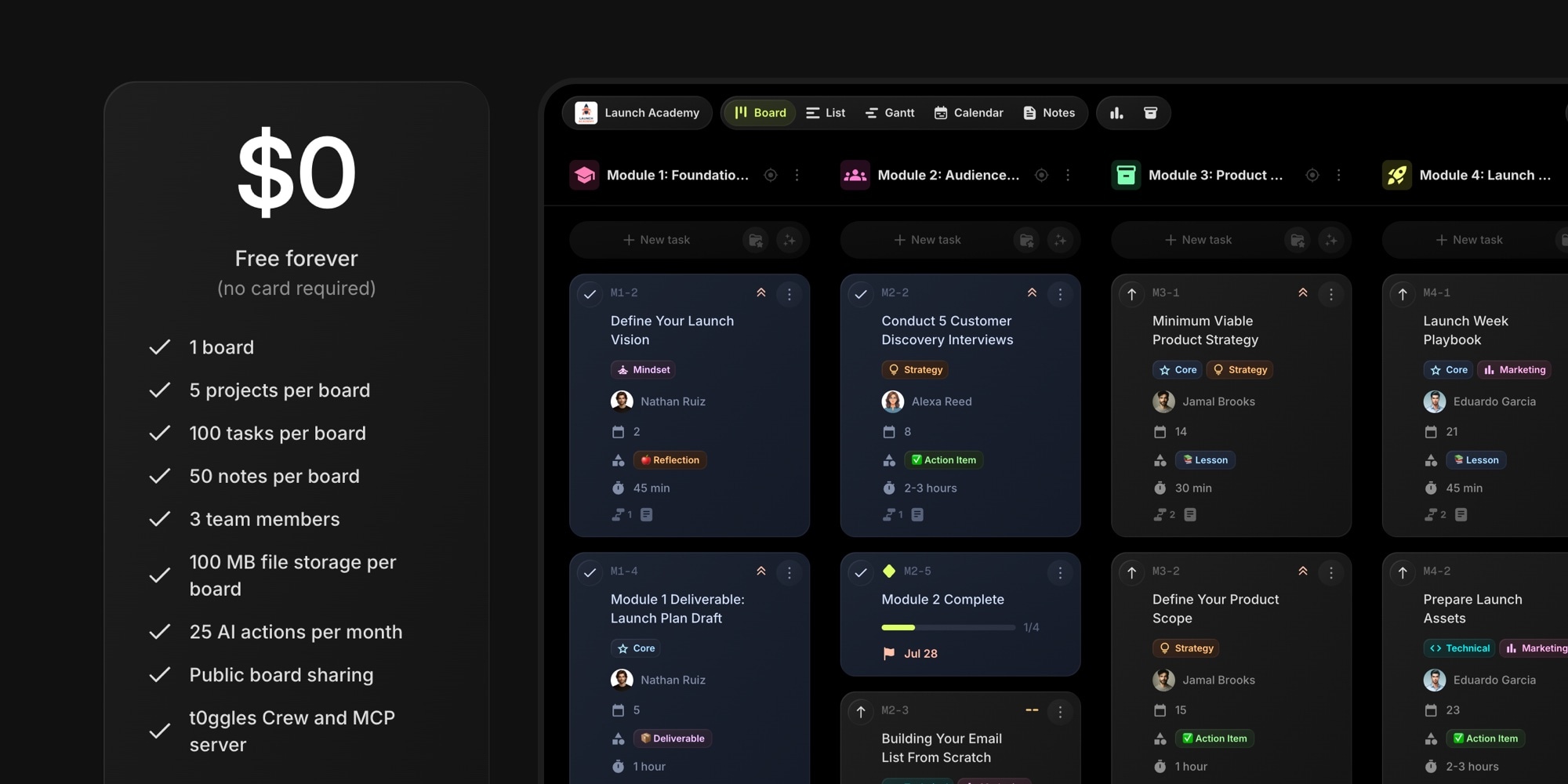
Introducing The t0ggles Free Plan
Until today, trying t0ggles meant starting a 14-day trial and picking a plan before the clock ran out. That worked, but it asked for a decision on day one - before you had moved a single task, invited a teammate, or seen how multi-project boards actually feel.
So we removed the clock. t0ggles now has a free forever plan. No credit card, no countdown, no "your trial expires in 3 days" email. Create an account, get a board, and use it for as long as you want.
#What You Get For Free
The free plan is a real working setup, not a demo:
- 1 board with 5 projects per board
- 100 tasks and 50 notes per board
- 3 team members - you plus two others
- 100 MB of file storage per board
- 25 AI actions per month for AI task creation and the AI writing assistant
- Public board sharing
- t0ggles Crew and the MCP server
Every view is included: Columns/Kanban, List, Calendar, and Gantt. So are task dependencies, milestones, subtasks, task templates, custom fields, tags, comments, real-time sync, reports, and the GitHub and Figma integrations.
We did not build a stripped-down free version of the app. It is the same app, with limits on how much you can put in it.
#What The Free Plan Does Not Include
Being direct about this matters more than a longer feature list. On the free plan:
- There is no archive. Deleting a task, note, or project deletes it for real. Paid plans keep a 60-day archive you can restore from.
- Automations are off. Due-date and status automations need a paid plan.
- Reports are viewable but not exportable. CSV and PDF export is paid.
- Guest users are paid. Public sharing is free; interactive guest accounts are not.
- API, Zapier, Google Calendar sync, and custom domains are paid.
- Public boards carry a small "Made with t0ggles" badge.
Everything else in the product works exactly the same way it does on a paid plan.
#Why Crew And The MCP Server Are Free
Two things on that free list usually sit behind the highest tier elsewhere: t0ggles Crew, our autonomous AI coding agents, and the MCP server that connects t0ggles to Claude, Cursor, and other AI assistants.
They are free because they make t0ggles more useful the moment you connect them. A developer who wires their coding agent into their board on day one gets a real picture of what t0ggles does for their workflow - and that is worth more to us than a paywall. AI task creation and the editor assistant run on our inference, so those are capped at 25 AI actions a month. Crew runs on your own agent, so it is not metered at all.
#What Happens When You Outgrow It
One plan, one price: $5 per user/month, billed annually. It lifts every limit above - unlimited boards, projects, tasks, notes, files, and integrations, plus the archive, automations, guest users, report export, custom domains, and API access. There are no feature tiers to compare and nothing gated behind an "enterprise" call.
You can also still start a 14-day free trial of the paid plan if you want to see the full thing before deciding.
When you hit a limit inside the app, t0ggles tells you which one and what it costs to lift it, right there. No mystery errors, no silent failures.
#Already Paying? Nothing Changes
If you are on a paid plan, or AppSumo license, nothing about your account changes. Same limits (none), same price, same features. The free plan is a new front door, not a repricing.
#Why We Did This
Project management tools are a commitment. Your team's work goes into them, your process shapes around them, and switching later is painful. Asking someone to enter a card before any of that is fair to us and unfair to them.
For freelancers, small startups, and side projects, 100 tasks across 5 projects is enough to run real work for months. For teams evaluating a switch from Jira, Asana, or Trello, it is enough to migrate one project and see whether the multi-project board model fits how you actually work. And for open source maintainers and agencies, a free public board is a shareable, always-current status page.
We would rather have people using t0ggles and telling other people about it than have a slightly higher trial-to-paid rate.
#Getting Started
- Create an account - email or Google, no card
- Your first board is created for you
- Add projects, invite up to two teammates, and start working
- Connect Crew or the MCP server if you use AI coding agents
The plan limits and your current usage are always visible in your dashboard, so you never have to guess how close you are to one.
If you are comparing options, our comparison pages lay out t0ggles against Jira, Linear, Asana, Trello, Notion, ClickUp, and others - including where their free tiers are more generous than ours.
Don't Miss What's Next
Get updates, design tips, and sneak peeks at upcoming features delivered straight to your inbox.