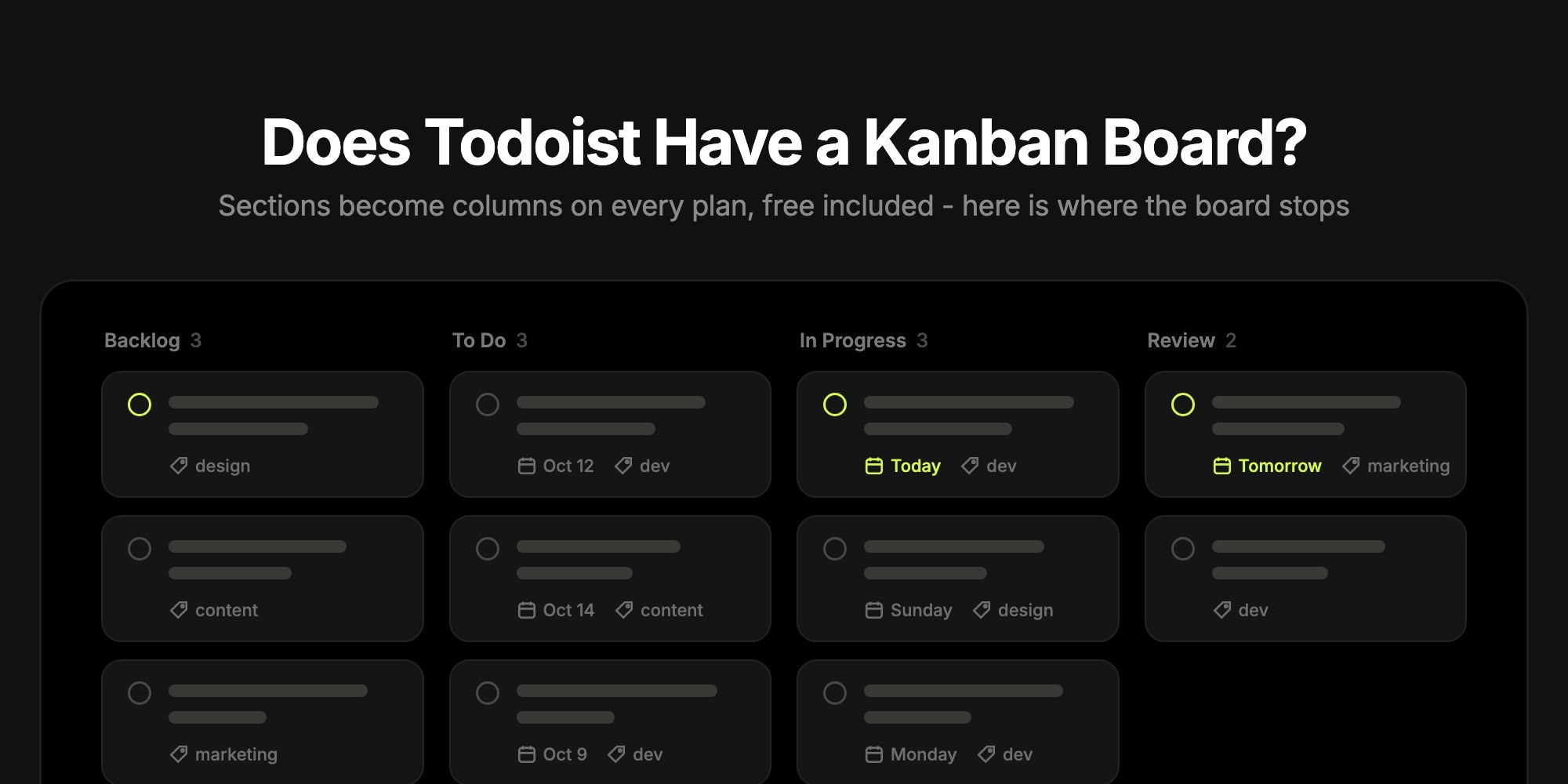
Does Todoist Have a Kanban Board? How Board Layout Works, and Where It Stops
Yes - Todoist has a kanban board. Any Todoist project can switch from List to Board layout, where each section becomes a column and tasks become cards you drag between them. Board layout is included on every plan, including the free Beginner plan, and it also works in Today, Upcoming, label and filter views. What Todoist's board does not do: WIP limits, swimlanes, column colors, or more than 20 columns per project.
This guide walks through how the Todoist kanban board works in a real workspace, the display options worth knowing, and the gaps that send some teams looking for a more board-first tool.
#How to Switch Todoist to Board View
Todoist opens every project in List layout. The board is the same tasks in a different layout, and switching takes two clicks:
- Open a project and click Display (the view icon, top right).
- Under Layout, choose Board.
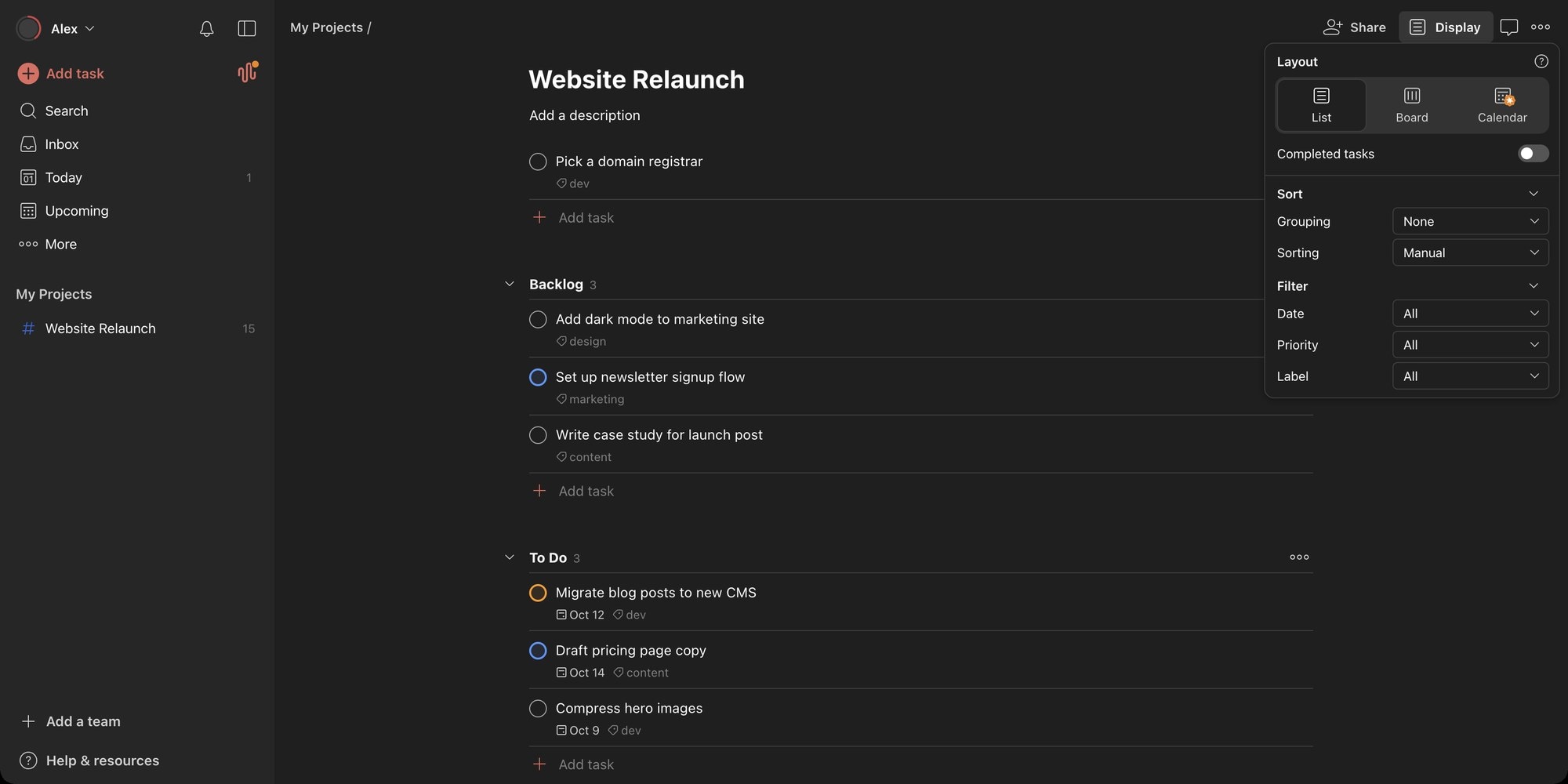
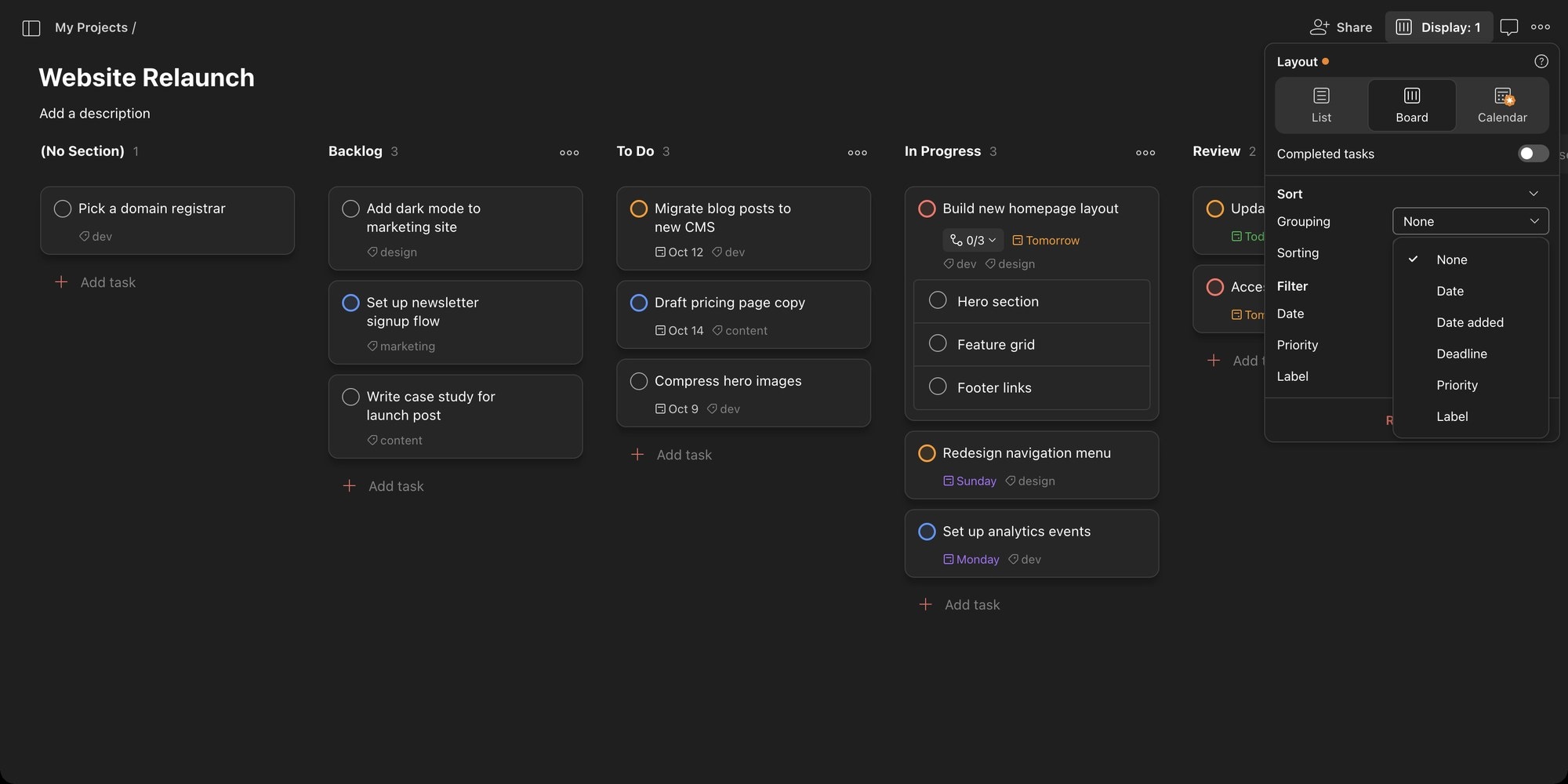
The Display menu is also where the rest of the board lives: the Completed tasks toggle, Grouping and Sorting, and filters for date, priority and label. Todoist's help center lists Shift + V as the keyboard shortcut for switching layouts.
The third option, Calendar, carries an upgrade badge on the free plan. Calendar layout is a Pro and Business feature, while List and Board are free. Layout is set per project, so one project can be a board while your Inbox stays a list, and the choice syncs across your devices.
#What the Todoist Kanban Board Looks Like
In Board layout, sections are columns. A project with Backlog, To Do, In Progress and Review sections becomes a four-column board, and any task that does not belong to a section lands in a (No Section) column on the left.
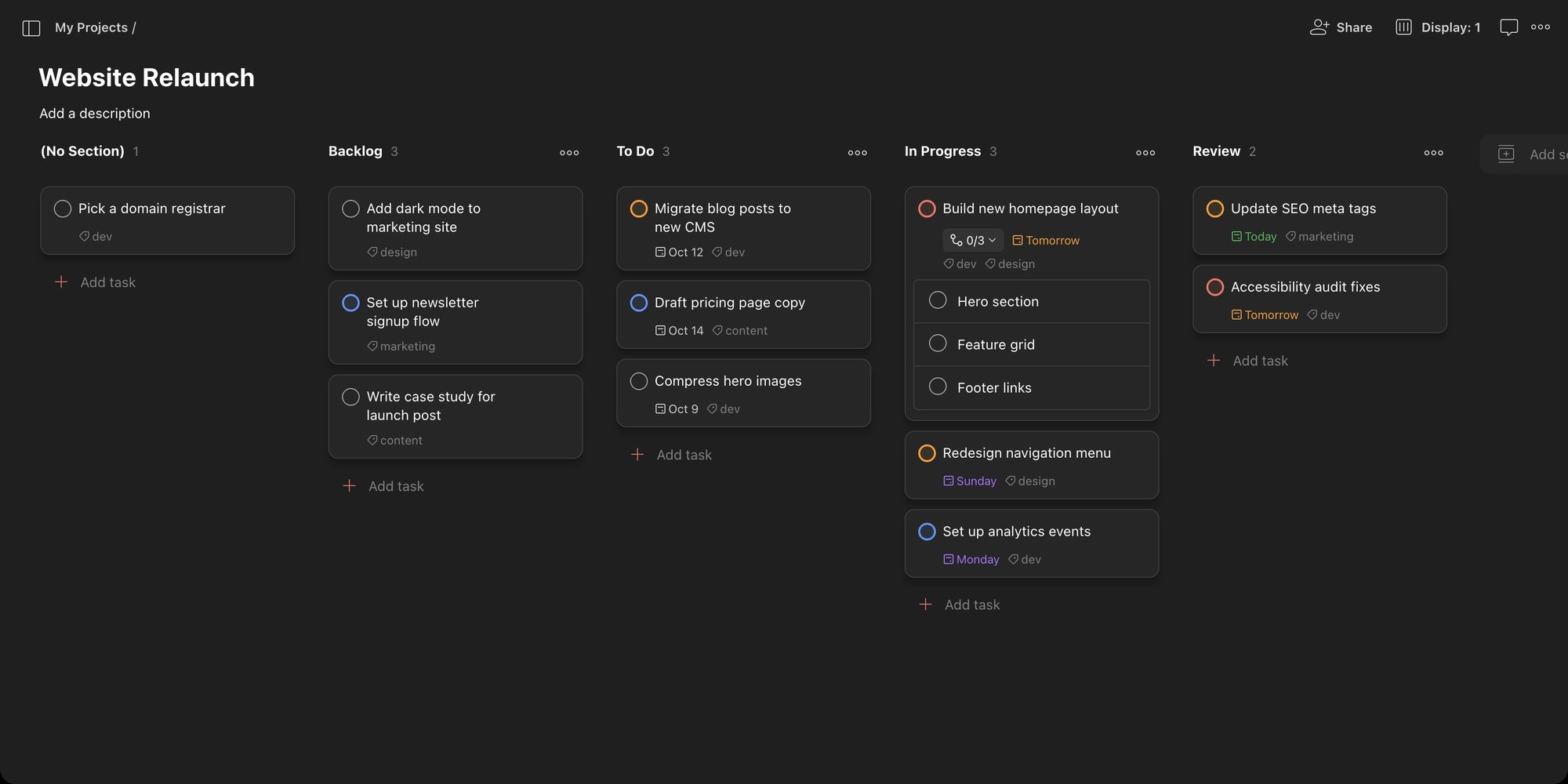
Cards show everything a Todoist task carries: the priority color on the checkbox, the due date, labels, and a sub-task counter. In our test workspace, sub-tasks appeared as a collapsible list right on the parent card (the "0/3" toggle above), so you can check them off without opening the task. Dragging a card into another column moves the task to that section, and dragging within a column reorders it.
A few practical details:
- Columns are free-form. Sections are just names, so "Waiting on Client" or "Blocked" is one click away with Add section at the right end of the board. Press S to add a section from the keyboard and A to add a task to the first column.
- Every column shows a count next to its name. That number is the closest Todoist gets to a WIP limit.
- Completed tasks disappear by default. Turn on the Completed tasks toggle in Display and they stay in their column, struck through, below the active cards.
- Sections can be archived. Archiving a finished column (say, "Sprint 12") hides it and all its tasks, and you can restore it later. Deleting a section deletes every task in it permanently, so archive rather than delete.
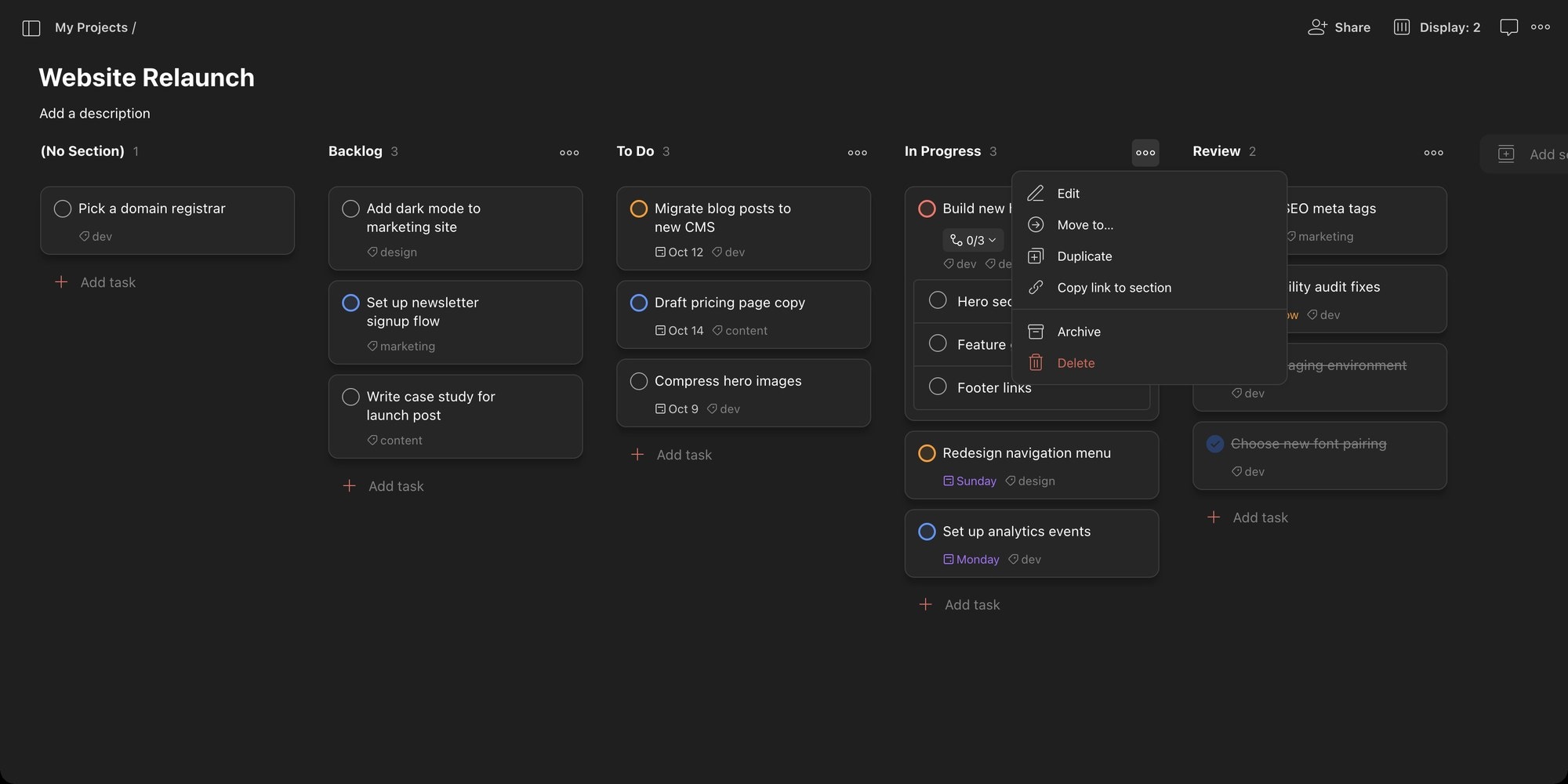
The section menu above is the full set of column options: Edit, Move to, Duplicate, Copy link to section, Archive and Delete. There is no column color, no column limit, and no automation per column.
#Grouping and Sorting the Board
The Grouping dropdown changes what the columns are. In a project the options are None (sections as columns), Date, Date added, Deadline, Priority and Label.
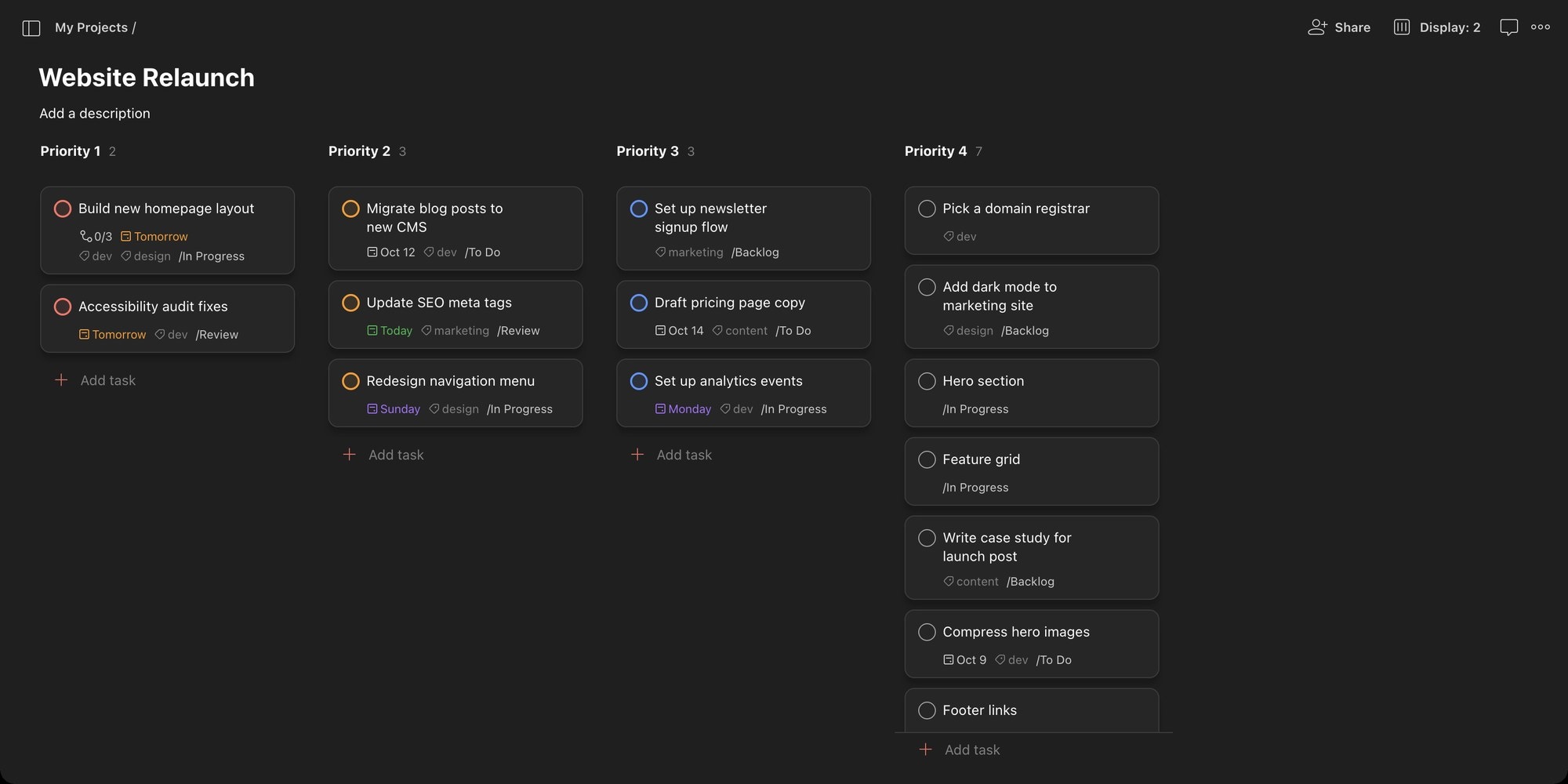
Group by Priority and the section columns are replaced by Priority 1 to Priority 4 columns. Each card then shows the section it belongs to (the "/In Progress" suffix), so you can triage by urgency without losing track of stage.
Two things to know before you lean on grouping:
- Grouping replaces sections, it does not add to them. There is one grouping dimension at a time, so you cannot get stage columns crossed with priority rows - there are no swimlanes.
- Grouping and sorting are personal. In a shared project they are only visible to you, so a teammate's priority board does not change yours. In team projects, admins and members can push a view to everyone with Save for everyone.
Sorting (Manual, Name, Date, Date added, Deadline, Priority) orders cards within each column. Manual sorting is what makes drag-to-reorder stick. Pick any other sort, or turn on grouping, and manual reordering is off.
#Kanban in Today, Upcoming, Labels and Filters
Board layout is not limited to projects:
- Today - your tasks due today as a board. Grouping here has more options than in a project - Assignee, Project and Workspace join the list - so grouping Today by Project gives you a column per project.
- Upcoming - one column per day. Upcoming in Board layout is web and desktop only; it is not available on iOS or Android.
- Labels and filters - any label or saved filter can be a board, grouped by project, priority, label or the other fields. This is the closest Todoist gets to a cross-project kanban. Note that the free plan allows 3 filters.
The trade-off: in these views the columns are dates, projects or priorities, never your workflow stages. A cross-project board in Todoist shows where work lives, not how far along it is.
#Todoist Kanban Limits
The board inherits Todoist's project limits, which apply on every plan:
| Limit | Value | What it means for the board |
|---|---|---|
| Sections per project | 20 | A board can have at most 20 columns |
| Active tasks | 300 per project, sub-tasks included | Big boards need splitting into several projects |
| Projects | 5 personal on Beginner, 300 on Pro | A free account can run five boards |
| People per project | 5 per personal project, 250 per team one | Personal projects stop at five collaborators on every plan |
| Calendar layout | Pro and Business only | The board and list are free; the calendar is not |
Todoist pricing: Beginner is free, Pro is $5 per month billed yearly ($7 monthly), and Business is $8 per user per month billed yearly ($10 monthly). Pro and Business prices went up on December 10, 2025.
#What Todoist's Kanban Board Cannot Do
Todoist's board is a layout on a task list, and for personal kanban that is often exactly right. For team kanban there are real gaps to know before you commit:
| Kanban feature | Todoist |
|---|---|
| WIP limits | No. Columns show a count, but there is no per-column maximum and no overload warning |
| Swimlanes | No. One grouping dimension at a time - sections, or priority, or label, never two together |
| Free-form columns | Yes - sections are plain names, up to 20 per project |
| Column styling | No column colors, card covers or per-stage color schemes |
| Dependencies | No. Tasks cannot block other tasks |
| Timeline or Gantt | No. Layouts are List, Board and Calendar (Pro) |
| Cross-project board | Partly - Today, labels and filters can group by project, but columns are projects, not stages |
| Public board | Yes, experimentally - a Public project is viewable by anyone with the link, no account needed |
The missing WIP limit is the one that bites kanban purists. Limiting work in progress is what turns kanban into a flow system rather than a to-do list with columns, and in Todoist the only way to enforce it is a personal rule plus glancing at the column count.
#If You Want a Board-First Kanban Tool
If the Todoist board works for you, keep it - quick add with natural language is still one of the fastest ways to capture a task, and the board costs nothing. Teams tend to look elsewhere when they hit one of three walls: they need WIP limits, they want several projects on one board by stage, or they need project-management structure like dependencies and a Gantt chart.
t0ggles is built for that case. The board shows multiple projects as columns with status-colored cards, and Focus Mode turns any single project into a classic status-column kanban with one click. Each status can carry a Max tasks value - the column turns red the moment you exceed it, which is the WIP limit Todoist lacks. Card appearance is configurable through Task Style settings, and the same tasks flip into List, Calendar and Gantt views, with task dependencies and milestones on every plan.
| Kanban feature | Todoist | t0ggles |
|---|---|---|
| WIP limits | No | Yes - per-status Max tasks with red overload highlight |
| Columns | Sections per project | Projects side by side, or statuses in Focus Mode |
| Swimlanes | No | Projects as columns act as lanes; grouping in List and Gantt |
| Card styling | Priority color on the checkbox | Status color styles, badges, cover images |
| Views | List, Board, Calendar (Pro) | Columns, List, Calendar, Gantt - all free |
| Dependencies | No | Yes, with lag days and cycle detection |
| Public boards | Public projects (experimental) | Built in, with custom domains |
| Free plan | 5 projects, 300 tasks each | 1 board, 3 members, 100 tasks, all views included |
| Paid | $5/month Pro, $8/user/month Business | $5/user/month, everything unlimited |
Be honest about volume. Todoist's free plan holds far more tasks - five projects of up to 300 active tasks each, against 100 tasks on the t0ggles free board - so a heavy personal task list fits Todoist free better. t0ggles free fits a small team that wants a real kanban with WIP limits, dependencies and Gantt, and the $5/user/month paid plan makes everything unlimited with no tier gating.
For a fuller head-to-head see t0ggles vs Todoist, or compare Todoist with a pure kanban tool in Todoist vs Trello.
#Frequently Asked Questions
#Getting Started
- Open a Todoist project, click Display and switch Layout to Board.
- Add a section for each stage of your work - they become the columns.
- Turn on Completed tasks in Display if you want a visible Done trail.
- Watch the count on your In Progress column; if you find yourself wishing it turned red at a limit, try t0ggles free and set Max tasks on the status.
Don't Miss What's Next
Get updates, design tips, and sneak peeks at upcoming features delivered straight to your inbox.