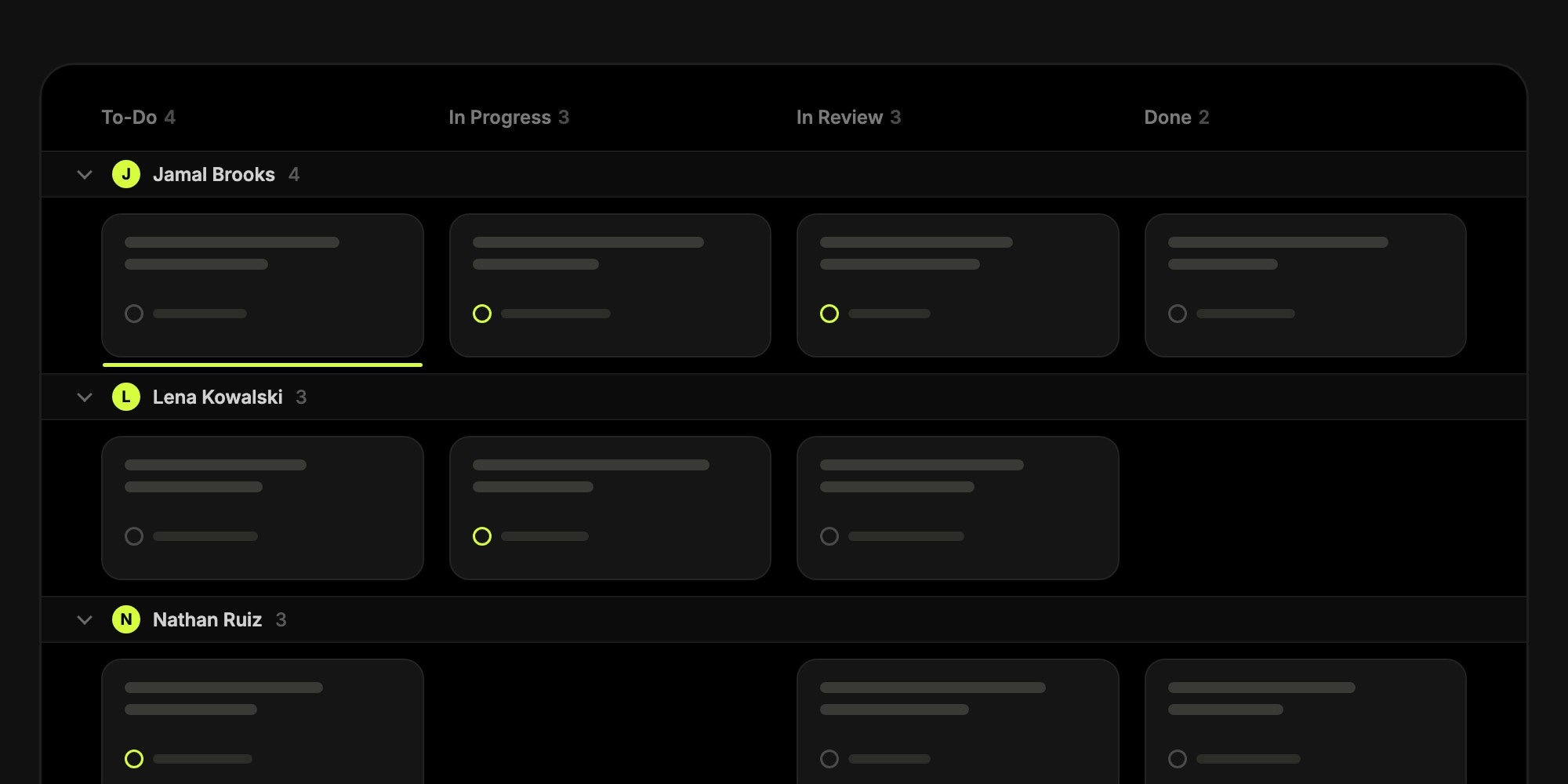
Kanban Swim Lanes: Group Your Board by Assignee, Priority, or Due Date
A Kanban board is great at answering one question: where is the work? Columns show what is waiting, what is in progress, and what is done. But in a standup or a planning session, the questions are usually different. Who is overloaded? What is urgent? What is due this week, and is any of it stuck?
Until now, answering those meant switching to a filter, a list, or a report. Today, the Columns view in t0ggles gets swim lanes. Pick a grouping and the board splits into horizontal lanes that cross every column, so the board answers the second question too, without losing the first.
#What Are Kanban Swim Lanes?
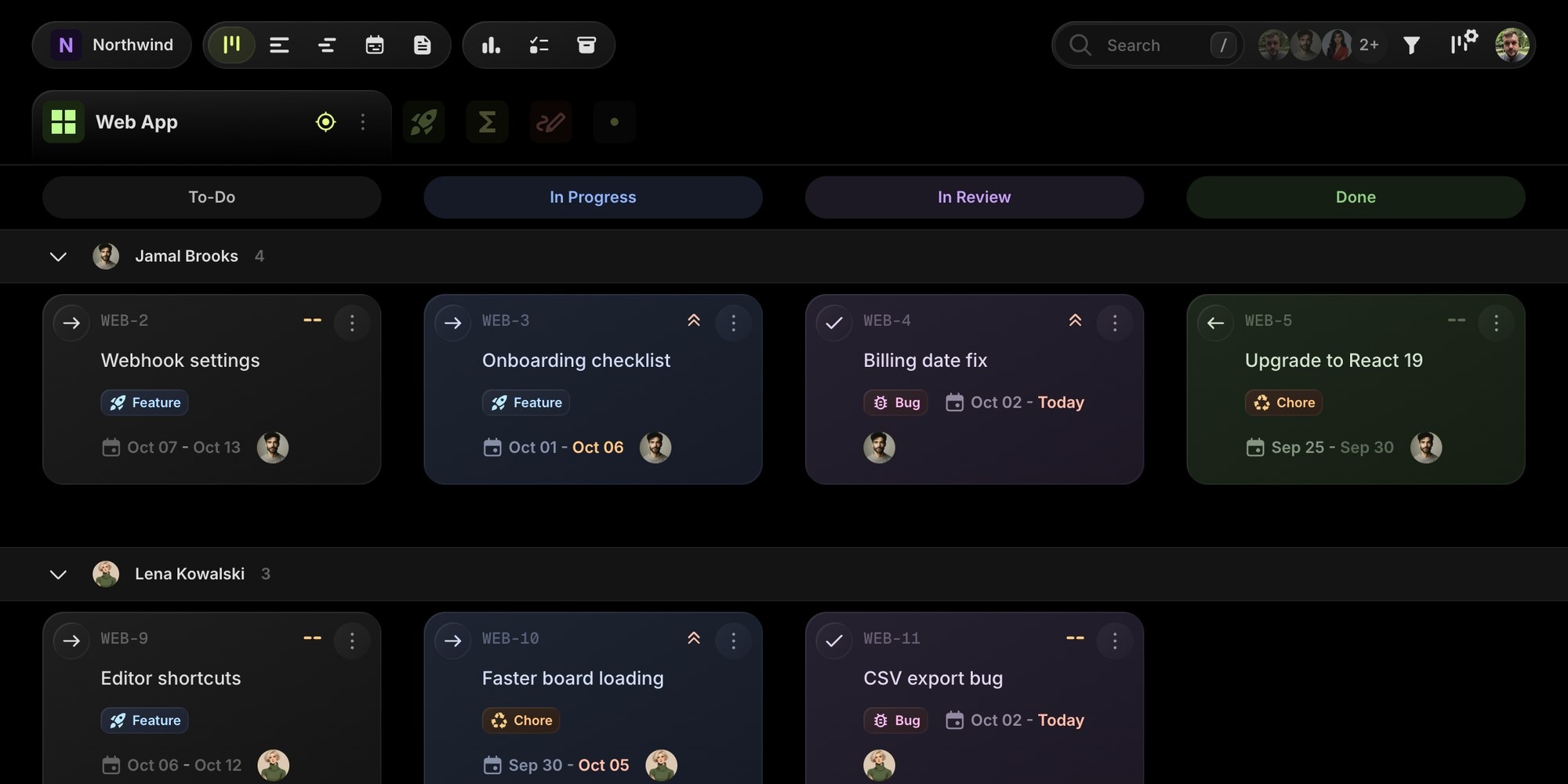
Swim lanes are horizontal rows on a Kanban board. Columns still show the workflow, and each lane groups the cards that share something: the same owner, the same priority, the same release. Every card sits at the intersection of a column and a lane, so one glance tells you both where a task is and what kind of task it is.
Agile teams have used swim lanes on physical boards for years, usually with a row of tape per person or per class of service. In t0ggles they are a view setting you can change in a second, so the same board can be grouped by people in the morning standup and by due date in the Friday planning meeting.
#Seven Ways to Slice Your Board
Open the view settings popover next to the filter button and pick an option under Group Tasks:
- Status - one lane per status across all project columns. A quick way to see every task in review, on every project, in one row.
- Assigned - one lane per teammate, plus Unassigned. Perfect for standups and for spotting who is overloaded and who has room.
- Priority - High, Medium, Low, and No priority. Urgent work floats to the top of the board instead of hiding in the middle of a column.
- Milestone - one lane per milestone, sorted by due date, with the milestone pinned first in its lane. Release planning at a glance.
- Tags - one lane per tag combination, so bugs, features, and design work stay visually apart.
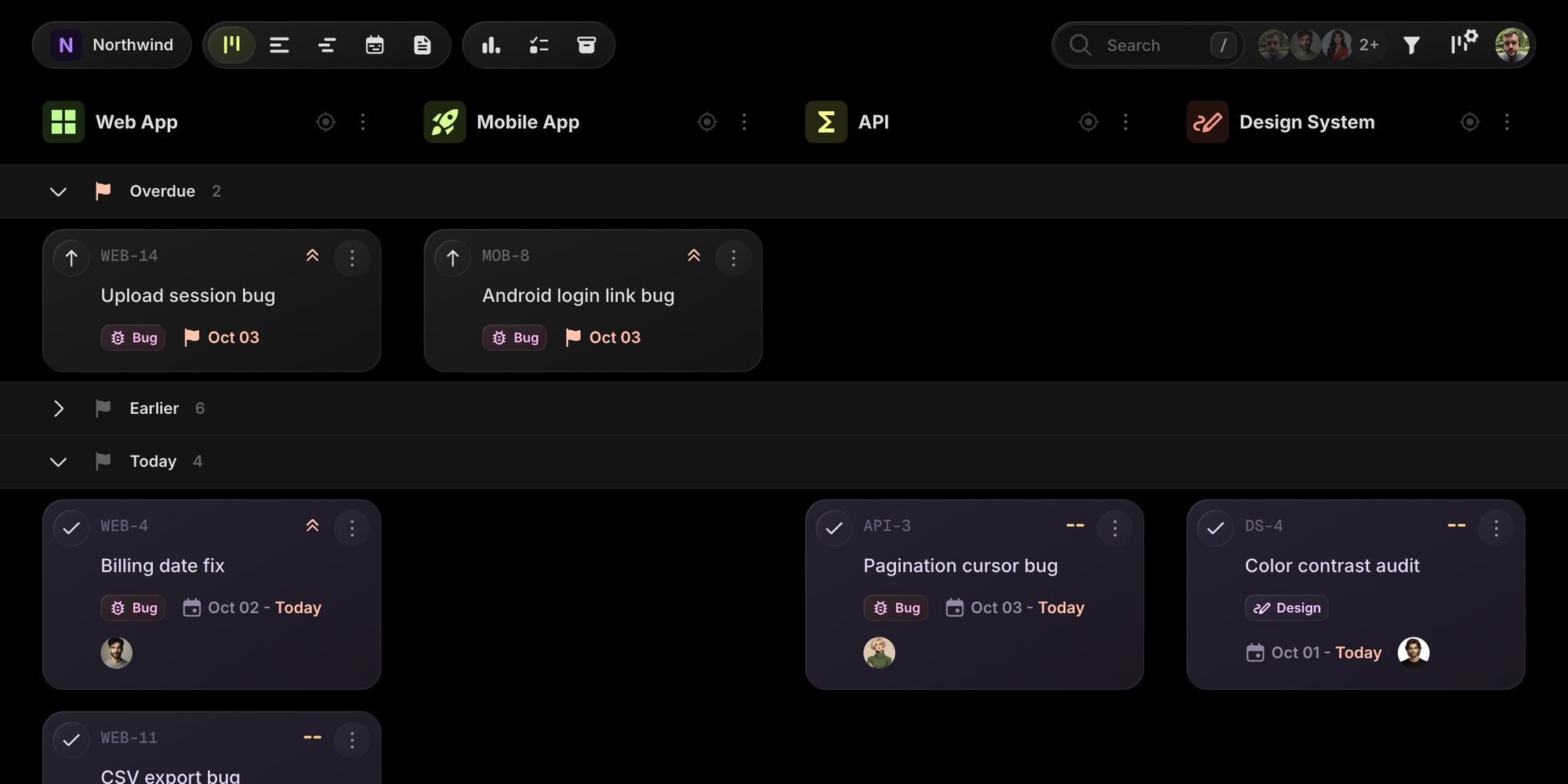
- Start date and Due date - relative buckets like Overdue, Today, Tomorrow, This week, and Next week. Weekly planning without opening a calendar.
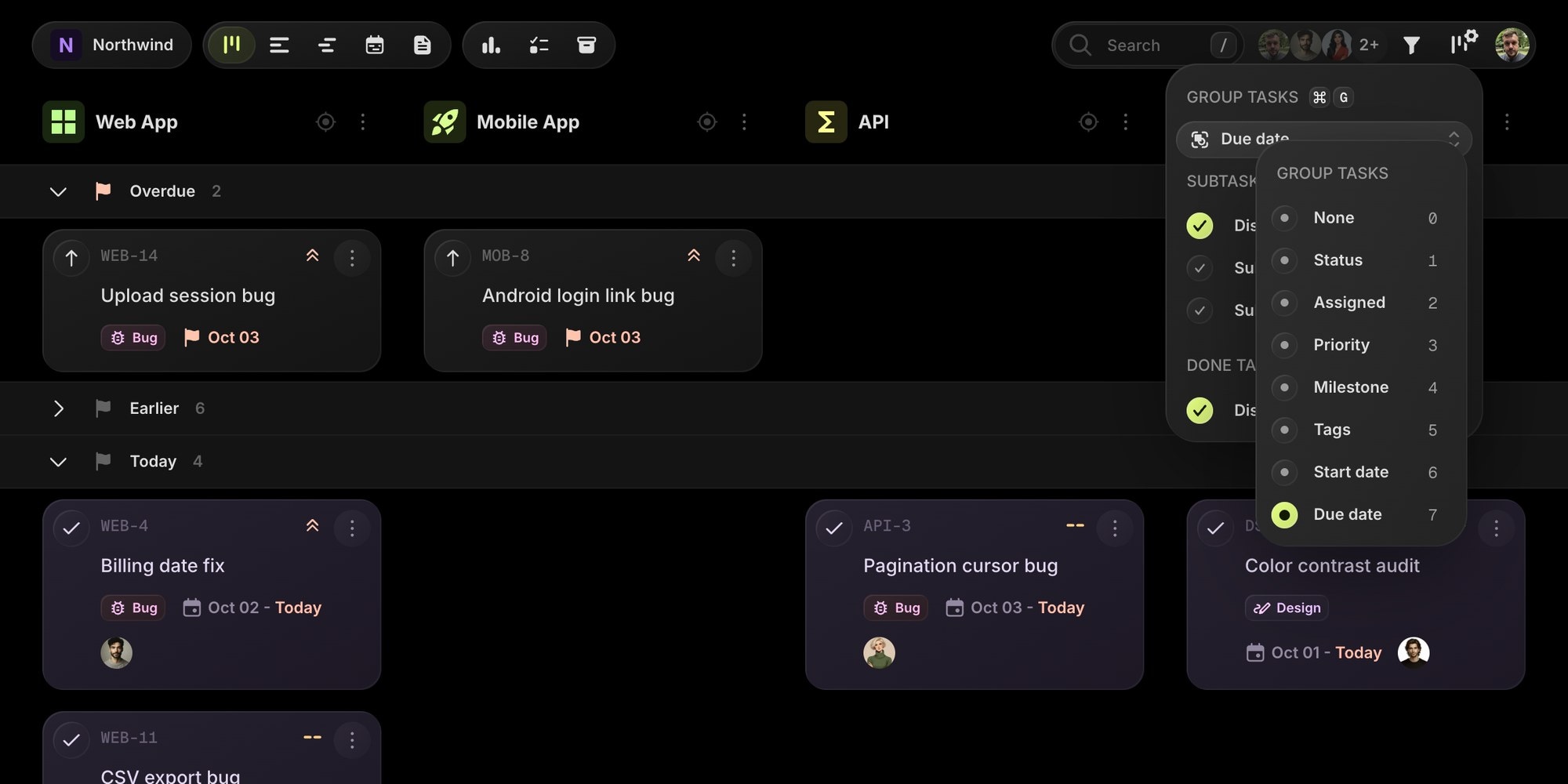
Grouping is personal. Your project manager can keep the board grouped by milestone while developers look at their own lanes, and nobody changes the view for anyone else. Press Cmd + G (Ctrl + G on Windows and Linux) to cycle through the options without opening the popover.
#Swim Lanes on a Multi-Project Board
t0ggles boards hold multiple projects side by side, so lanes cross every project column, not just the columns of one project. Group by due date and the Overdue lane shows every late task across the web app, the mobile app, and the API in one row. Group by assignee and you see each teammate's work across every project they touch.
Need the classic layout? Switch to Focus Mode on a project. Columns become statuses, and lanes cross them, which is the swim lane Kanban board most teams know: To-Do, In Progress, In Review, and Done for every person on the team.
Lane headers stay pinned while you scroll, and any lane collapses to a single row with its task count. Collapse the Earlier lane of finished work or the Unassigned lane and keep the board focused on what needs attention. Collapsed lanes are remembered, so they stay that way tomorrow.
#Drag to Reassign, Reprioritize, or Reschedule
Lanes are not just labels. Drag a card into another lane and t0ggles updates the field that lane represents:
- Drop into another teammate's lane to reassign the task
- Drop into High to raise its priority
- Drop into Tomorrow to move the due date to tomorrow
- Drop into a milestone lane to link the task to that release
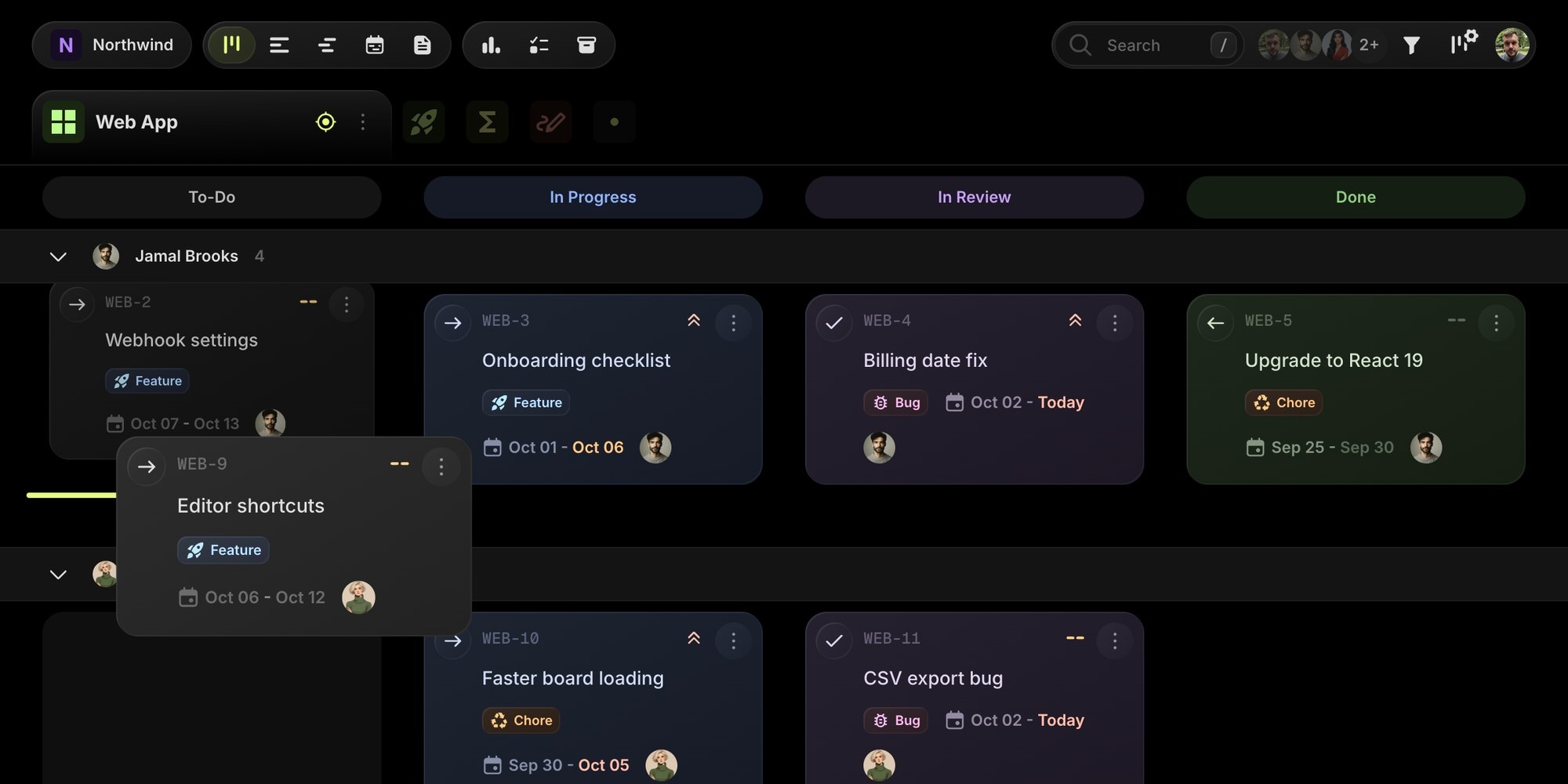
You can change the lane and the project column in a single drag. Every drop goes through the same path as editing a task by hand, so board automations run, the change history records who moved what, and everyone on the board sees the update in real time. Moving a card between start date lanes shifts its due date by the same amount, so the task keeps its duration.
Rebalancing work during a standup becomes a few drags instead of a dozen task edits.
#Add Tasks Right Where They Belong
Hover over any cell and a New task button appears at its bottom. The new task is prefilled with the cell's project and the lane's value: create a task in Lena's lane and it is assigned to Lena, create one in the High lane and it is high priority. Hover a lane and press C for the same thing from the keyboard. Arrow keys move through cards across lanes, so you can work the whole board without touching the mouse.
#When Swim Lanes Help Most
- Daily standups - group by assignee and walk the board person by person. Blocked work and empty lanes stand out immediately.
- Bug triage - group by priority and drag incoming issues into the right lane as you review them.
- Release planning - group by milestone to see what is left for each release across every project.
- Weekly planning - group by due date, clear the Overdue lane first, then fill This week and Next week.
- Agencies and multi-team boards - group by assignee across client projects to check capacity before taking on new work.
Swim lanes pair well with WIP limits and the rest of your Kanban practice: limits keep each column honest, lanes show who and what is behind the numbers.
#Getting Started
Swim lanes are available on every plan, including the free plan.
- Open any board in the Columns view.
- Click the view settings button next to the filter in the top right corner.
- Pick an option under Group Tasks, or press Cmd + G to cycle through them.
- Drag cards between lanes to update them, and collapse the lanes you do not need.
The List and Gantt views got the same Group Tasks option in their view settings, and Cmd + G works there too. Read the Swim Lanes docs for every grouping option and drag-and-drop rule.
Don't Miss What's Next
Get updates, design tips, and sneak peeks at upcoming features delivered straight to your inbox.